
Get Exclusive App Deals








Ticket Pickup Reminders
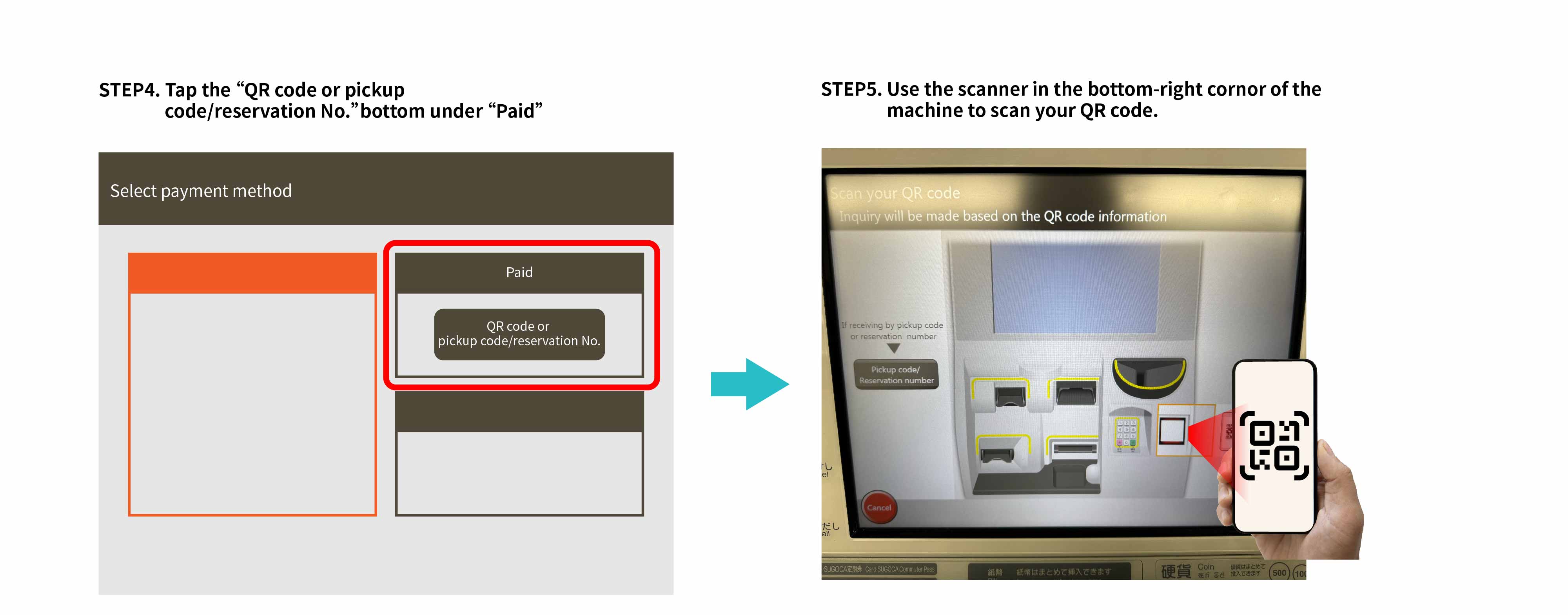
- Reminder: You cannot board with QR codes. You need to receive paper tickets using the QR codes before boarding. Please exchange your QR code for physical tickets at a ticket machine or a staffed ticket counter before boarding.
- Arrive at the station in advance to avoid delays due to long queues or difficulty locating ticket machines in large stations.
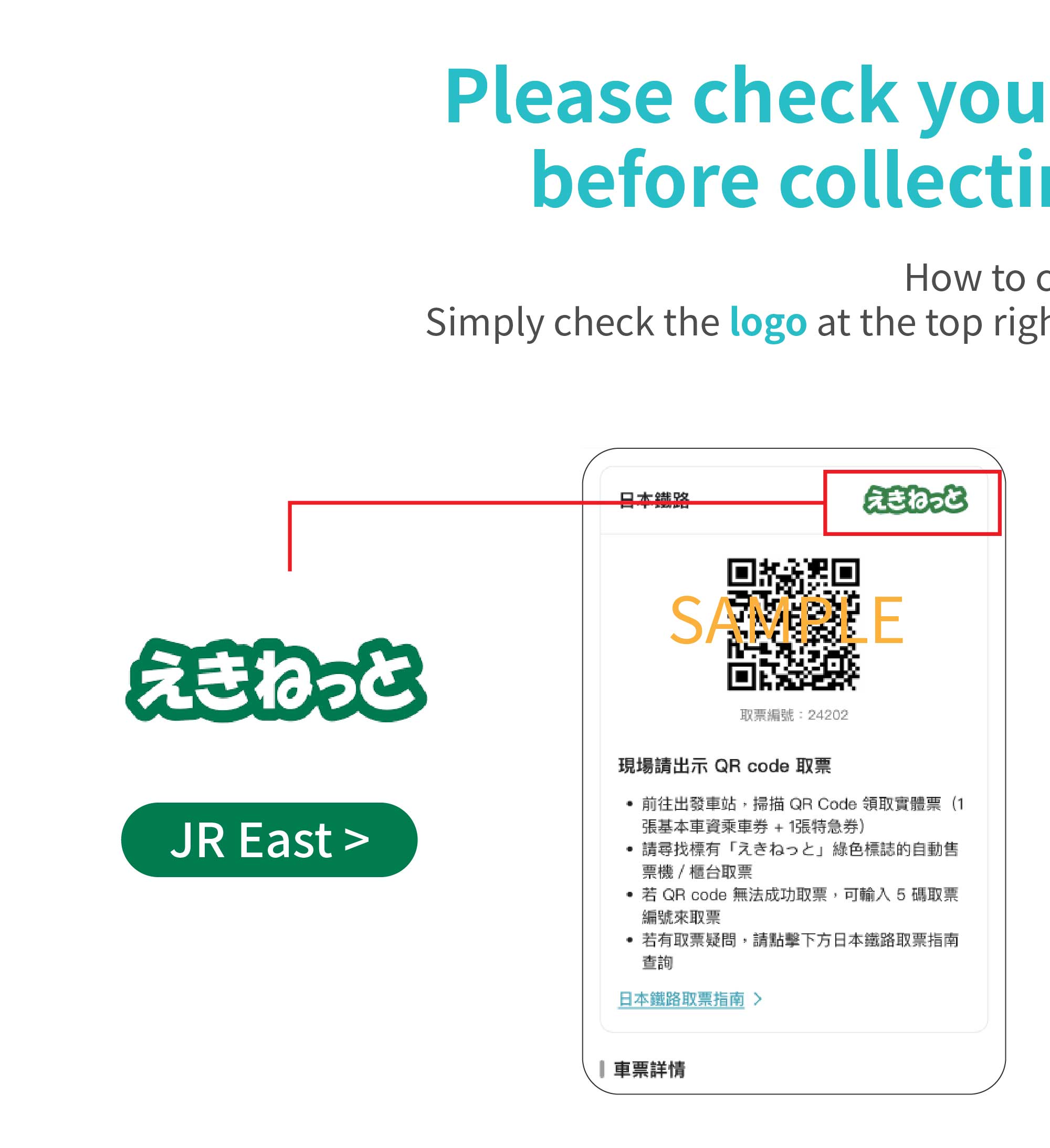
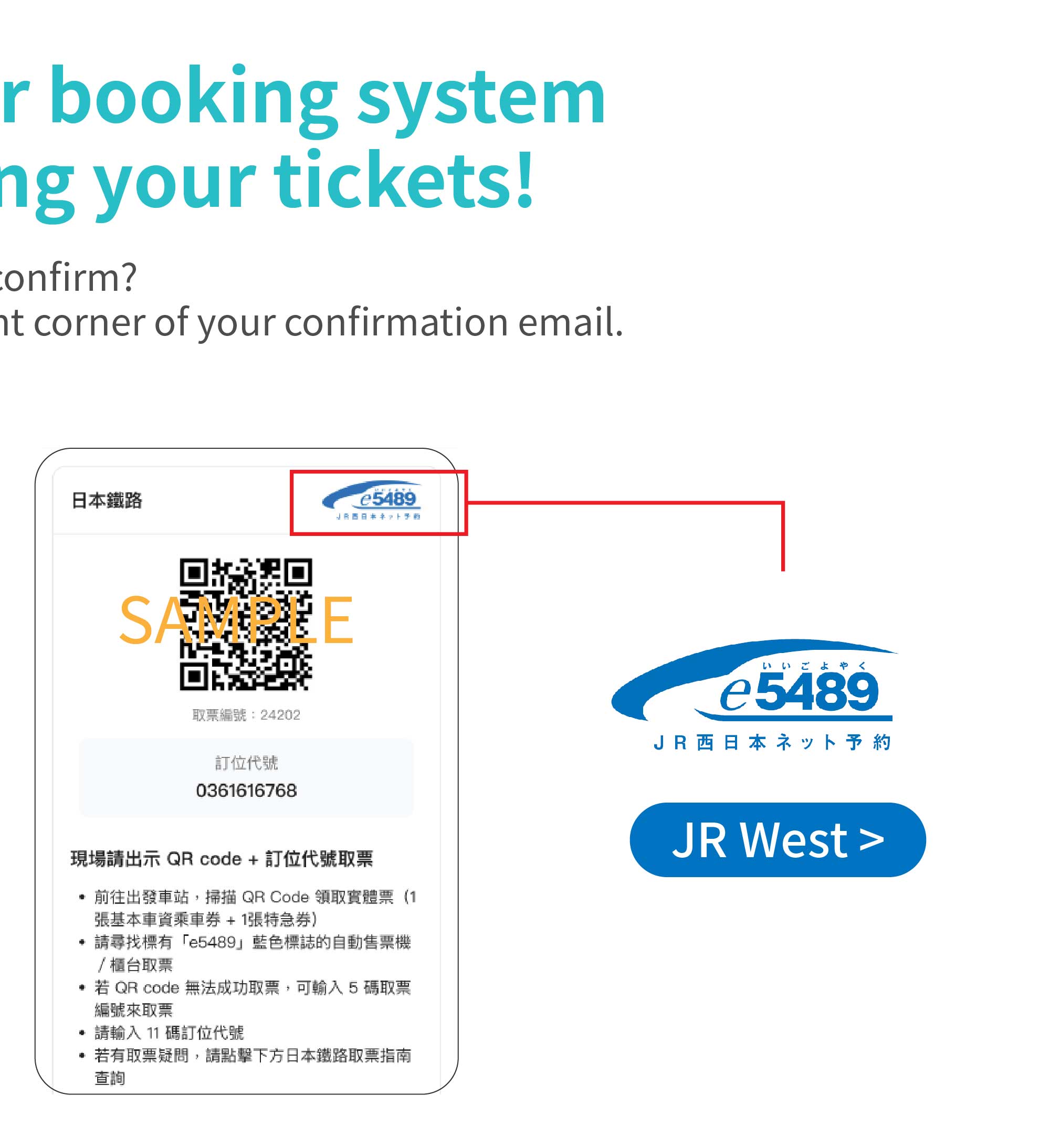
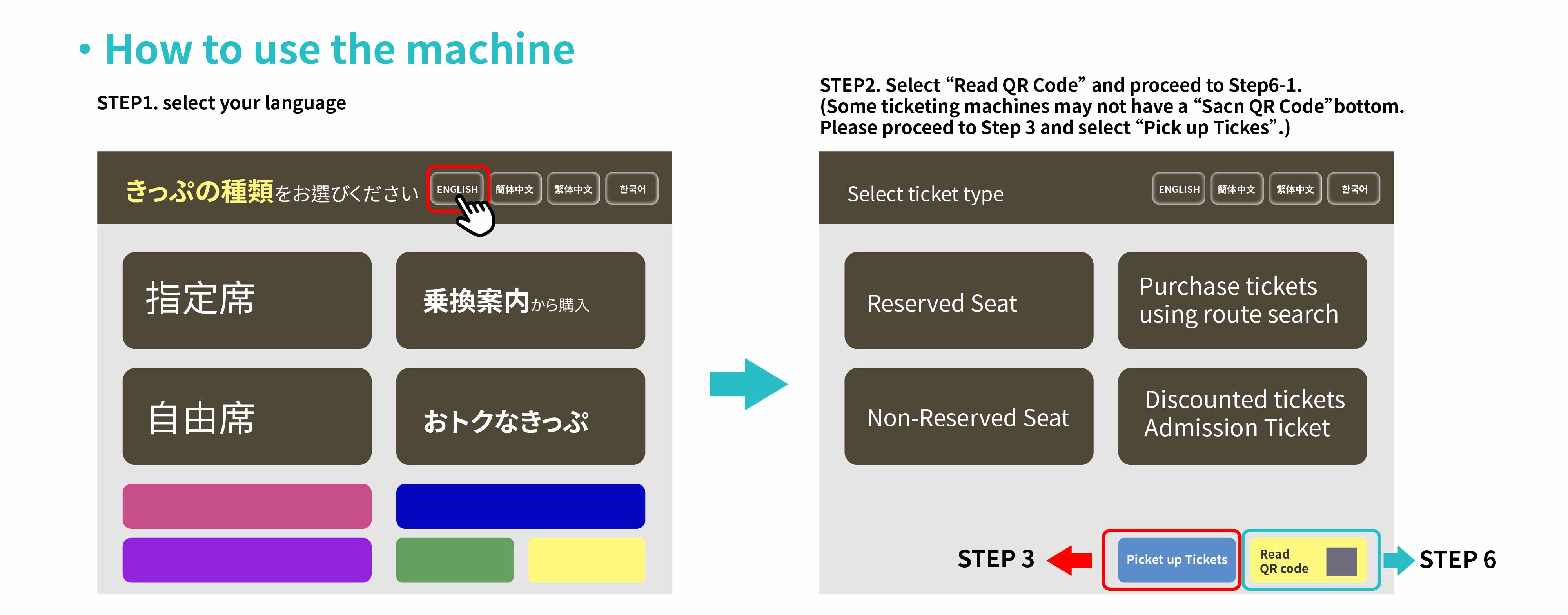
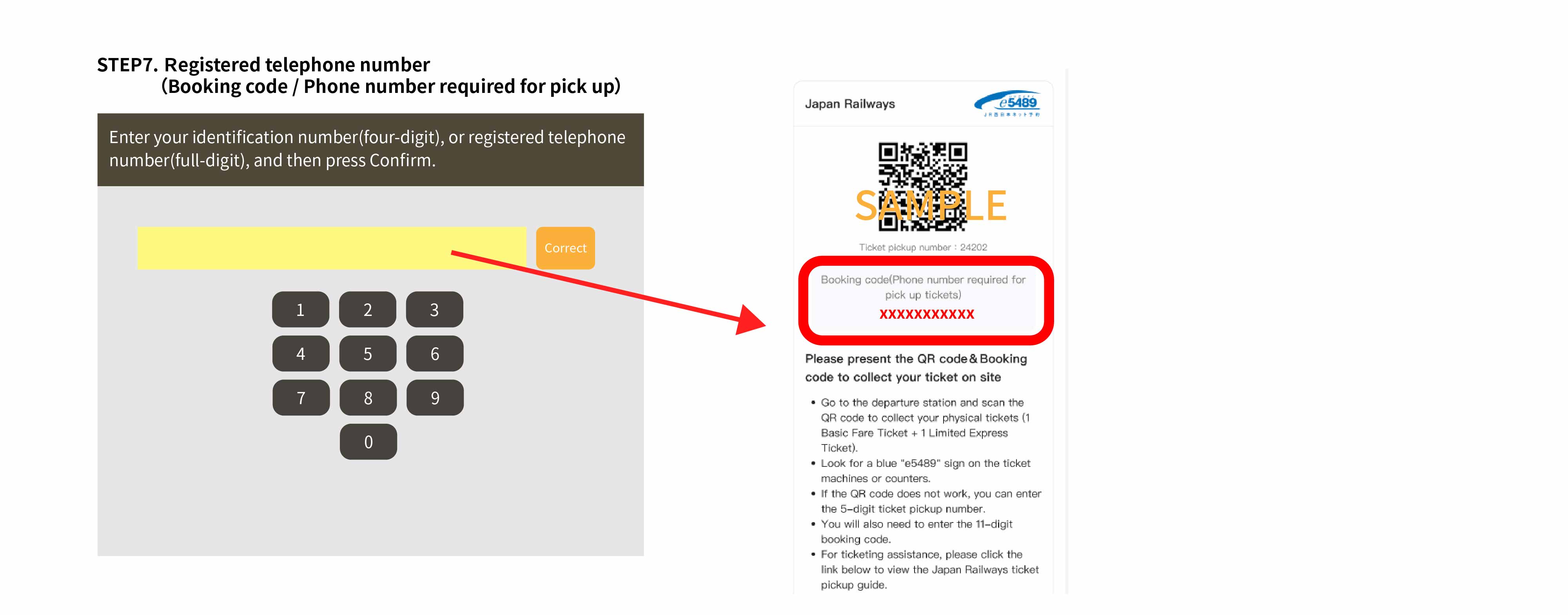
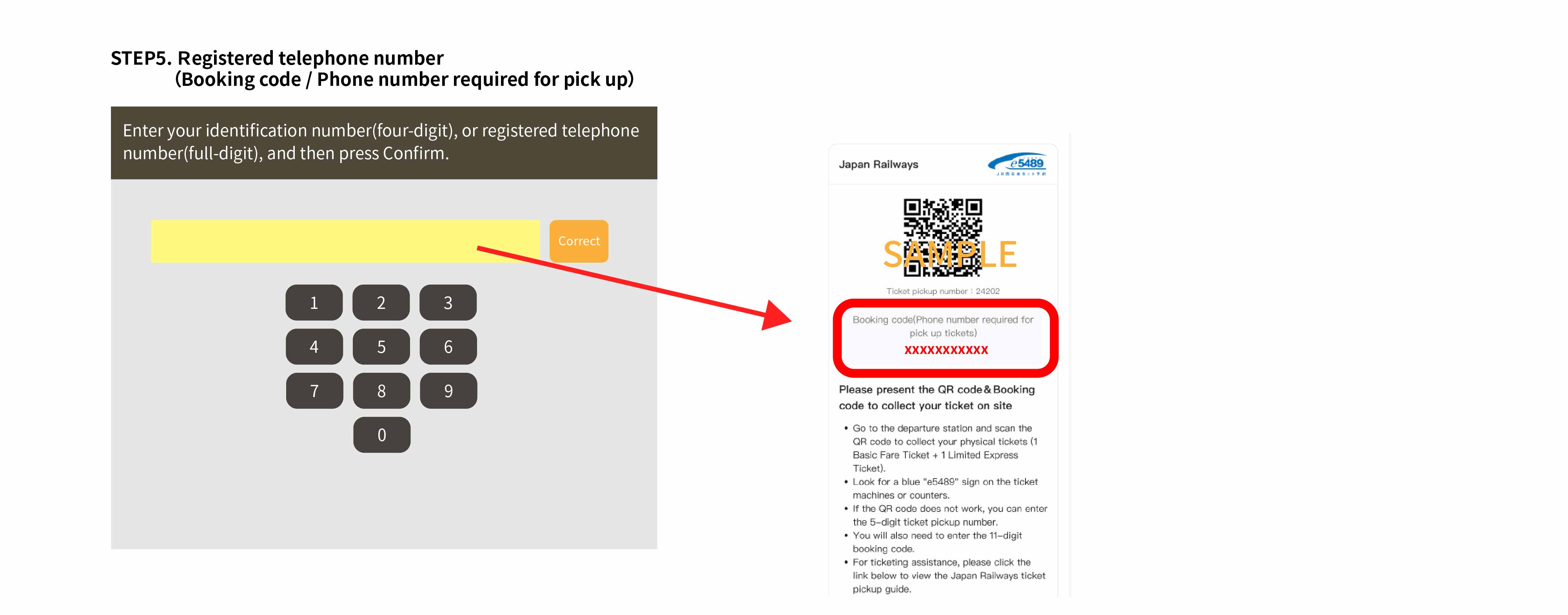
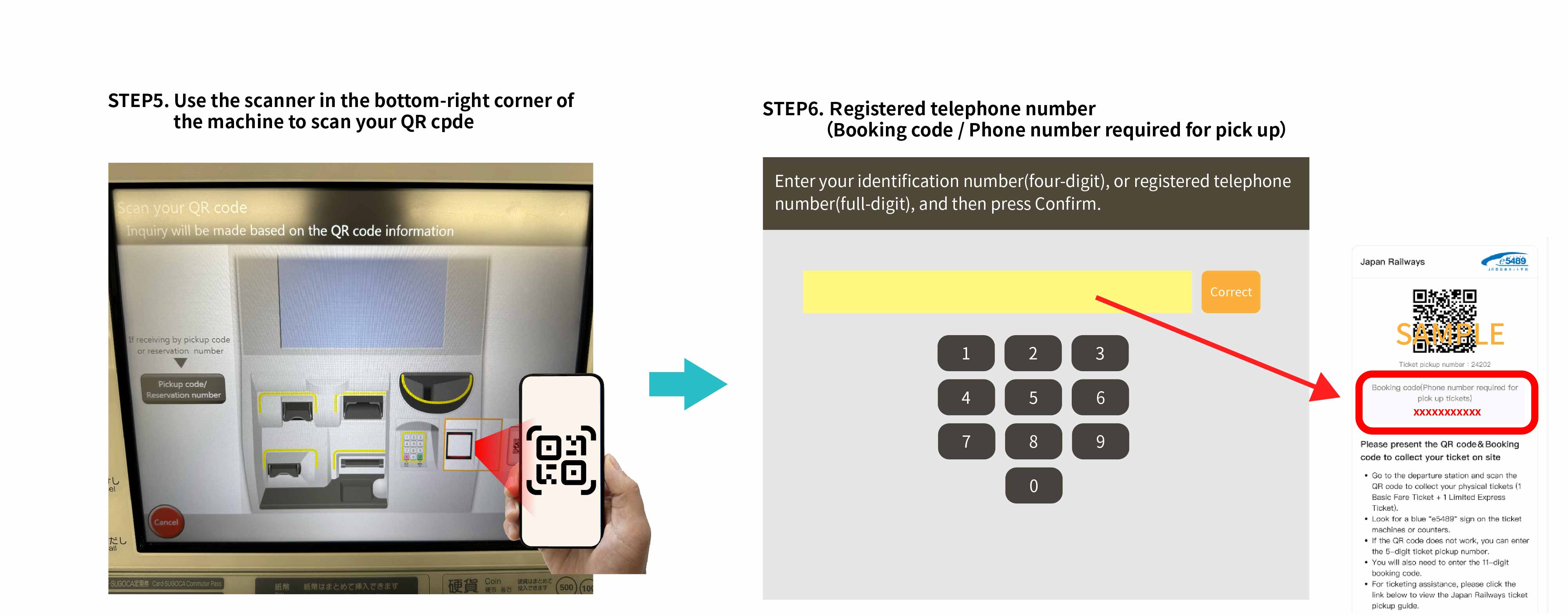
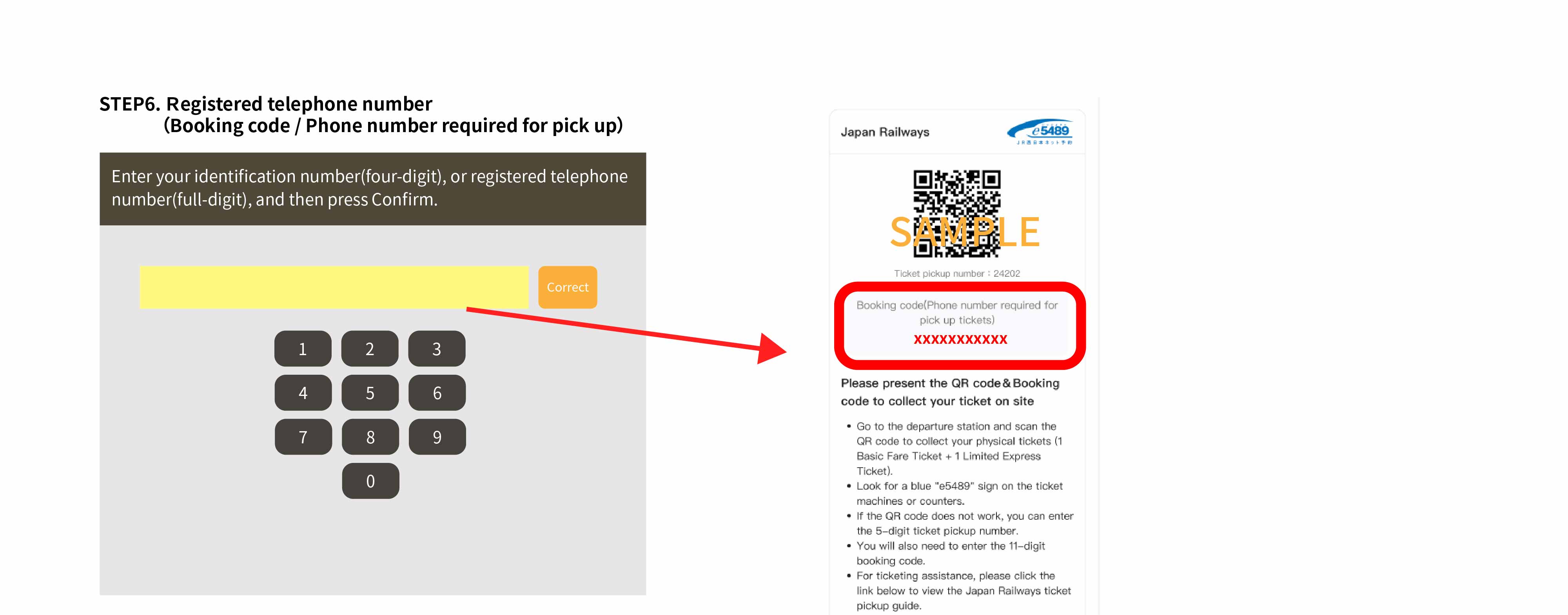
- Prepare the QR code from the KKday app or confirmation email for a quicker pick up process. If you do not have a QR code, prepare the 11-digit booking code from your confirmation email.
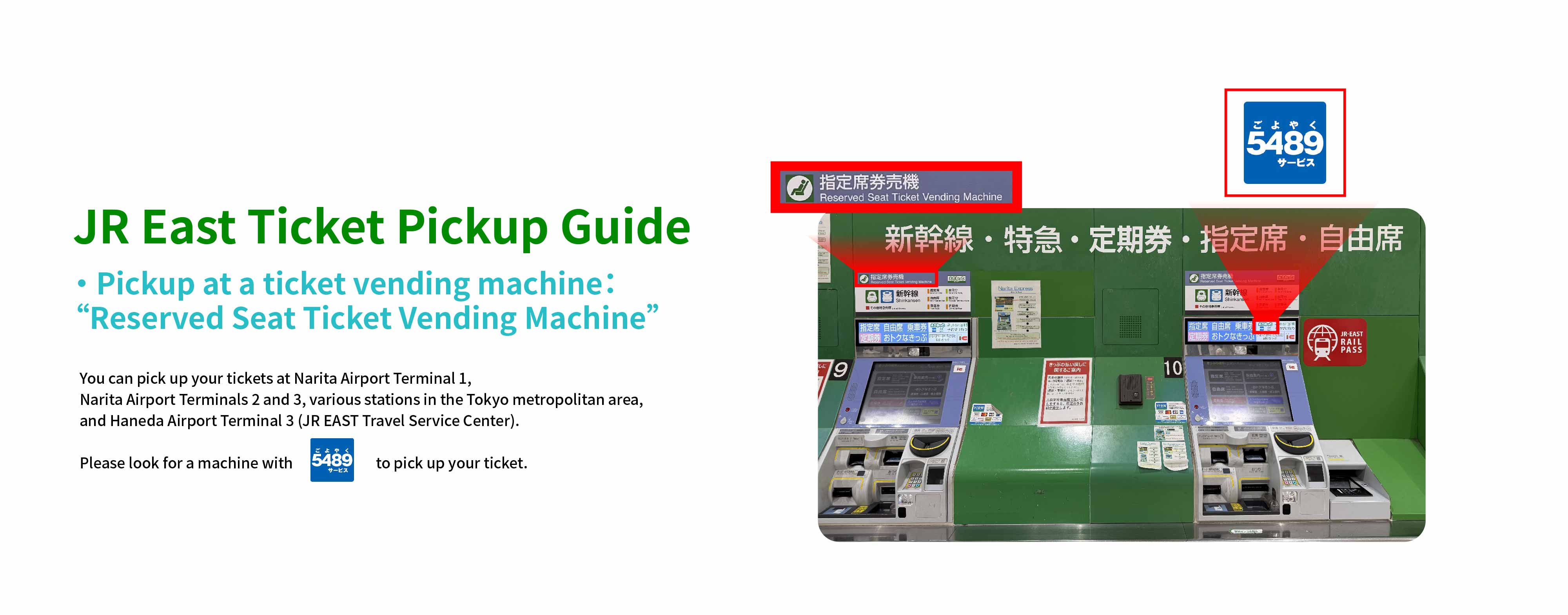
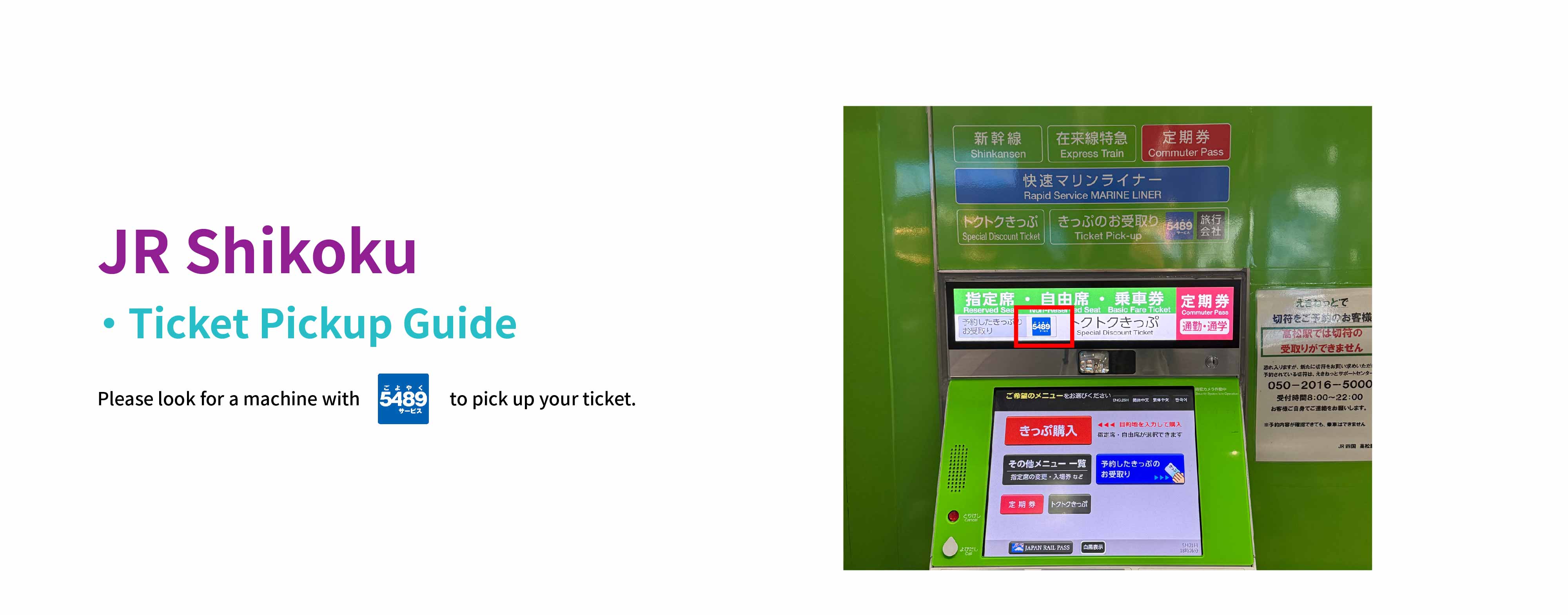
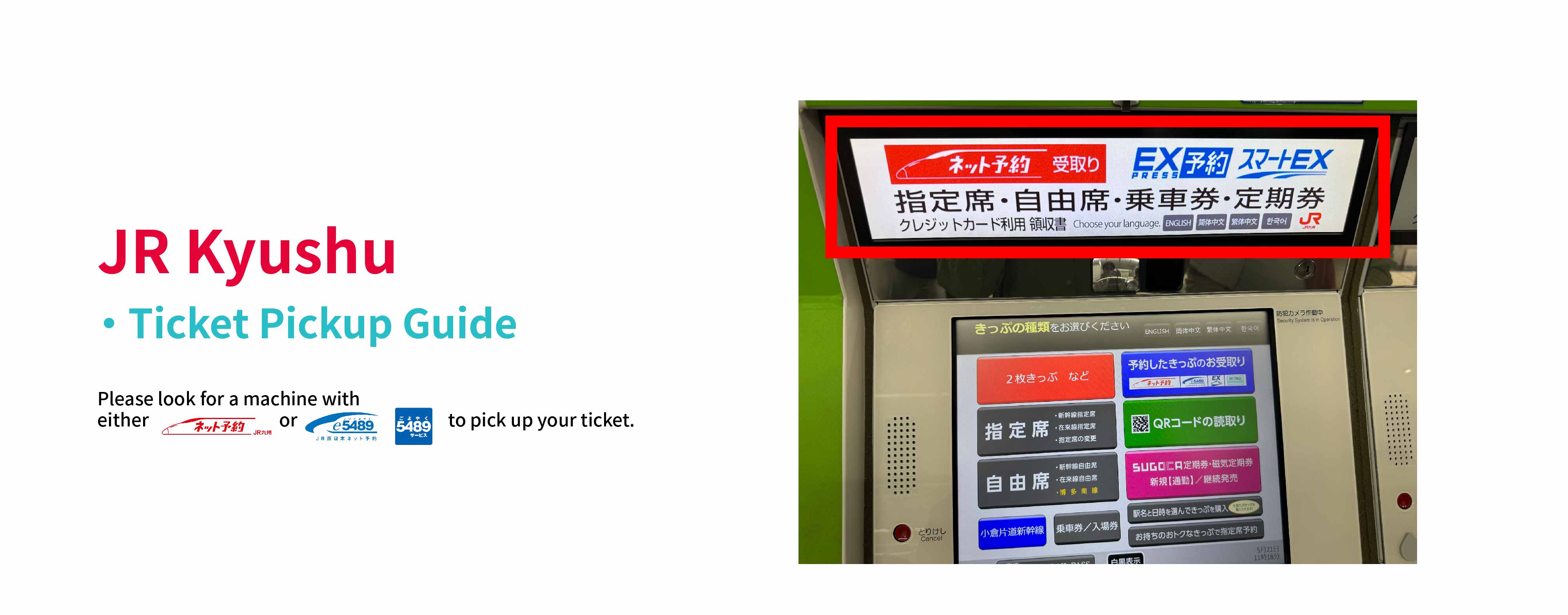
- Please note that some ticket machines may not support QR code function, and pick up methods may vary between stations.
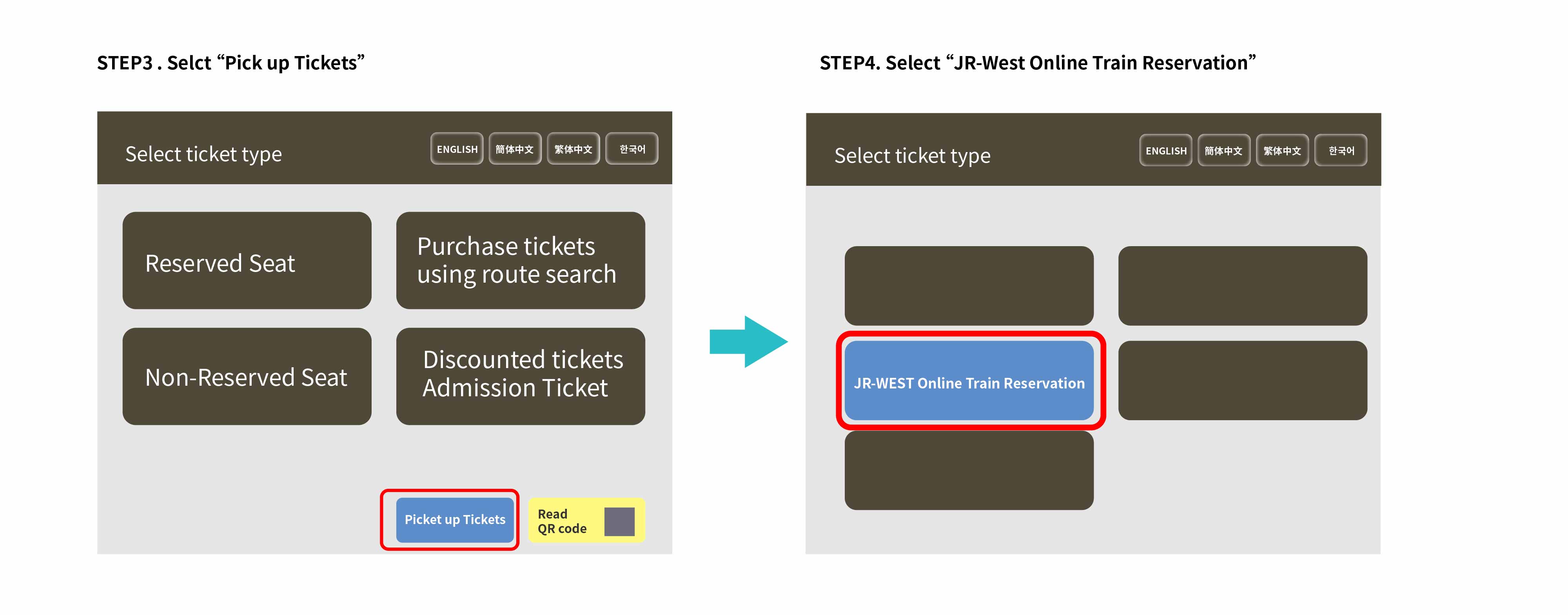
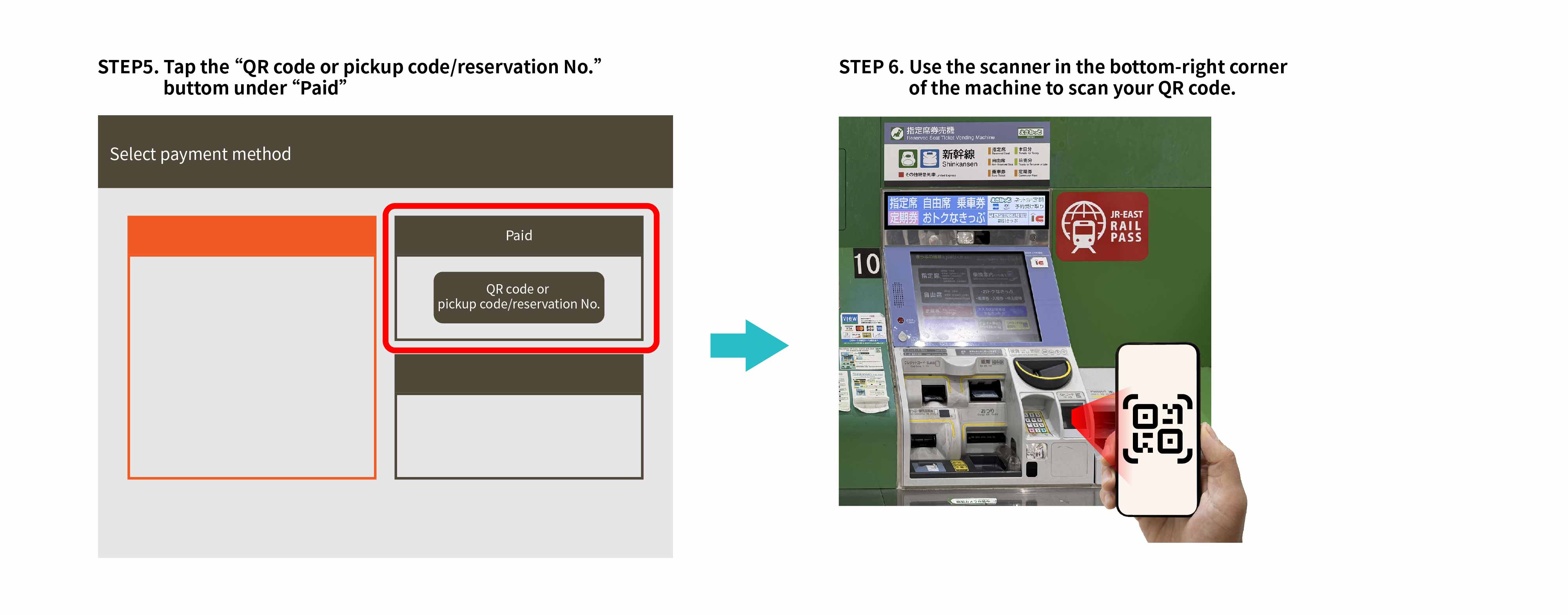
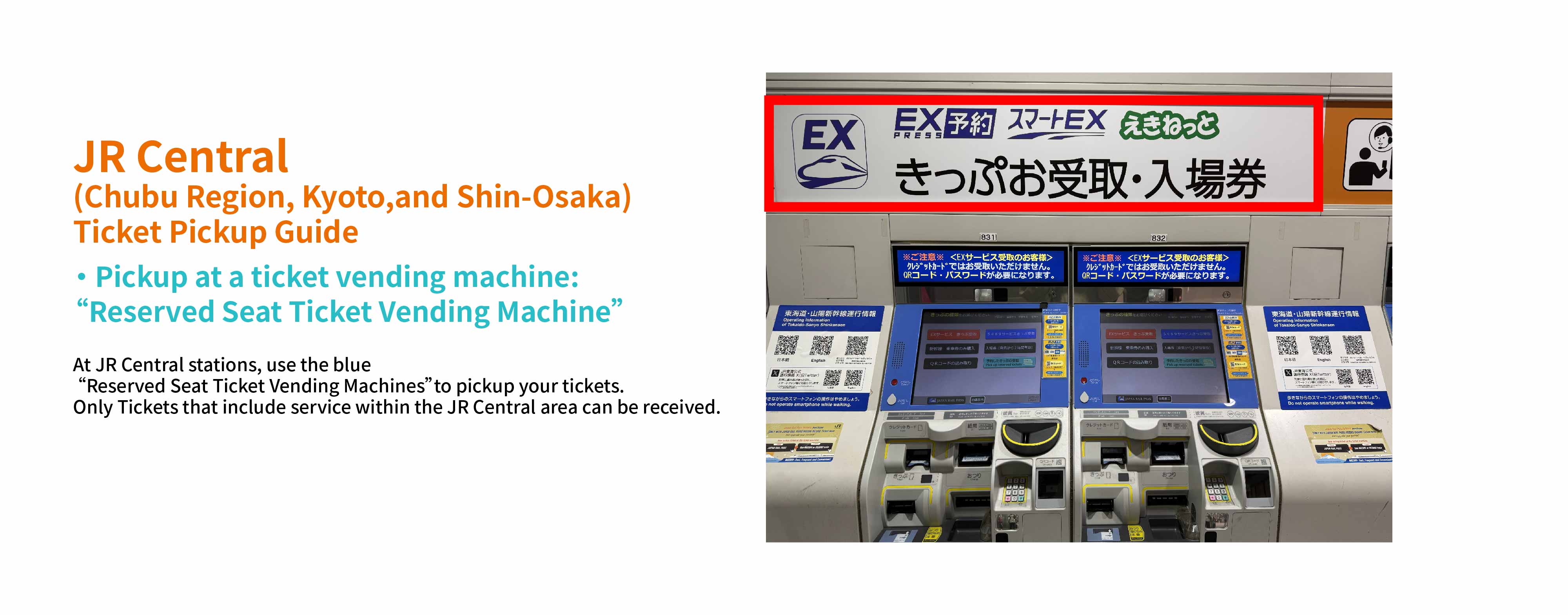
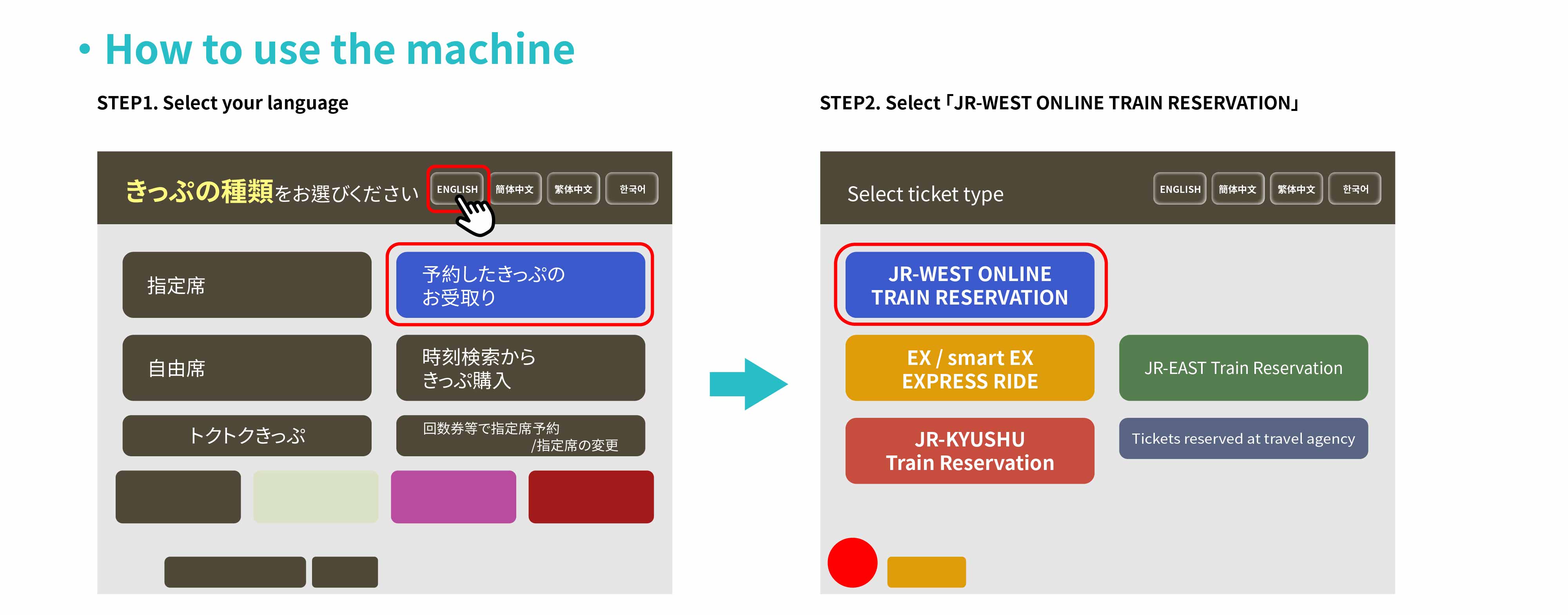
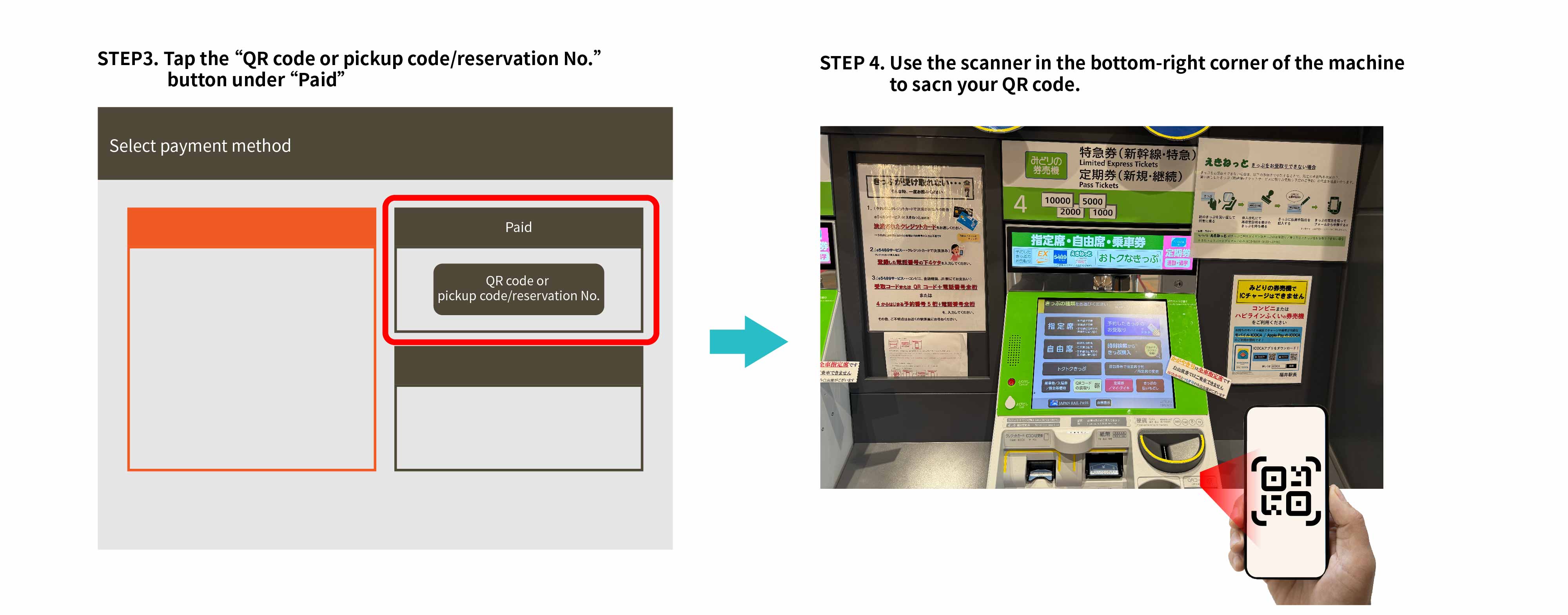
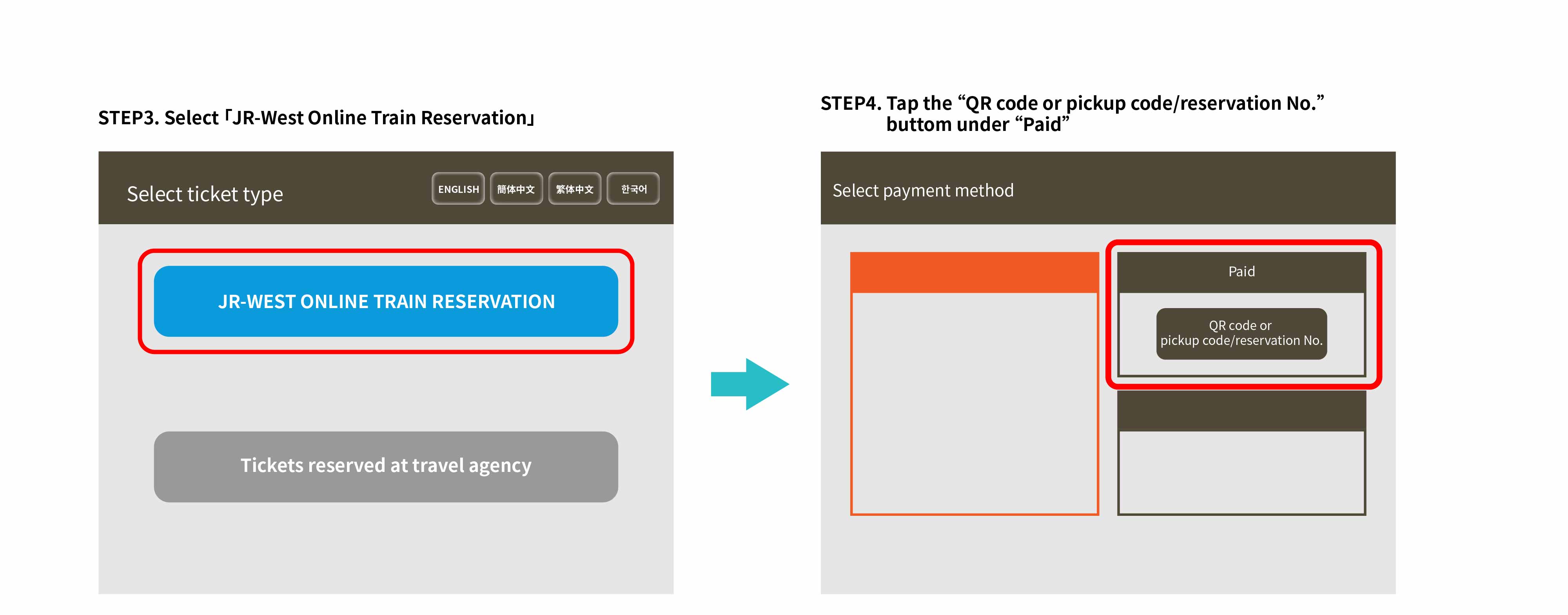
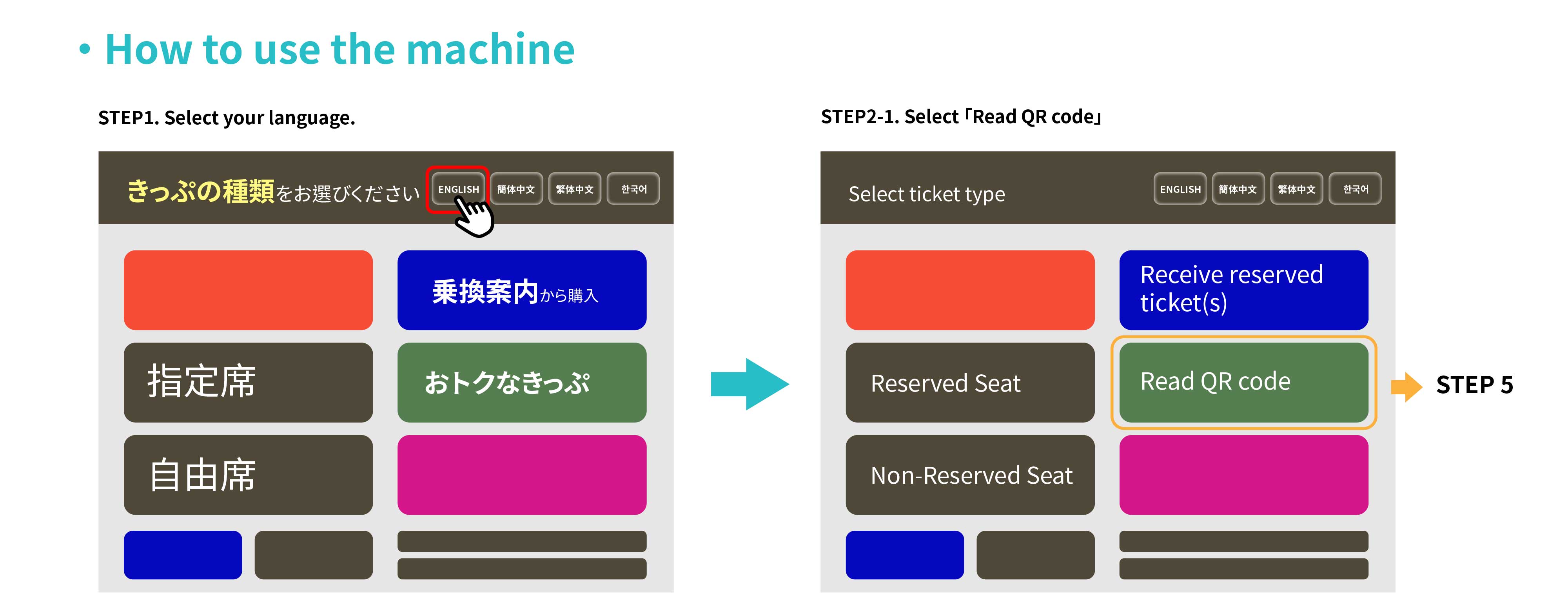
- Refer to the guide below for detailed pick up procedures.



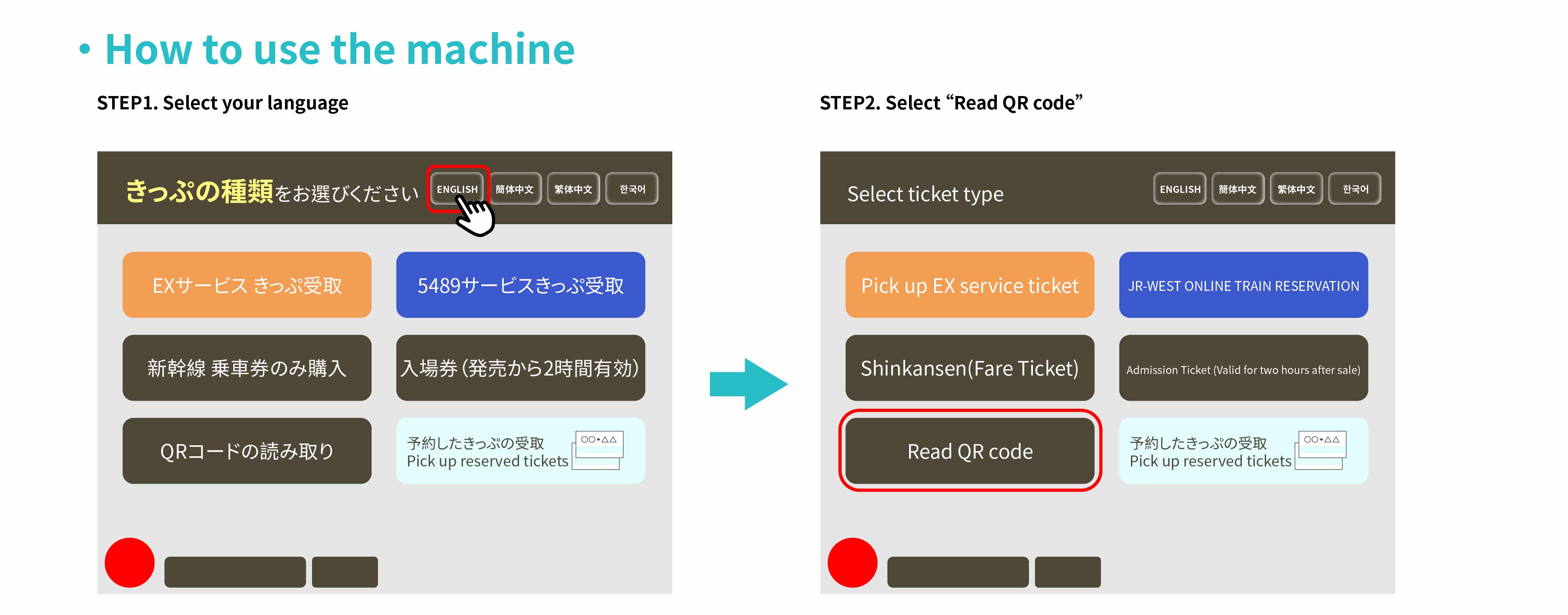
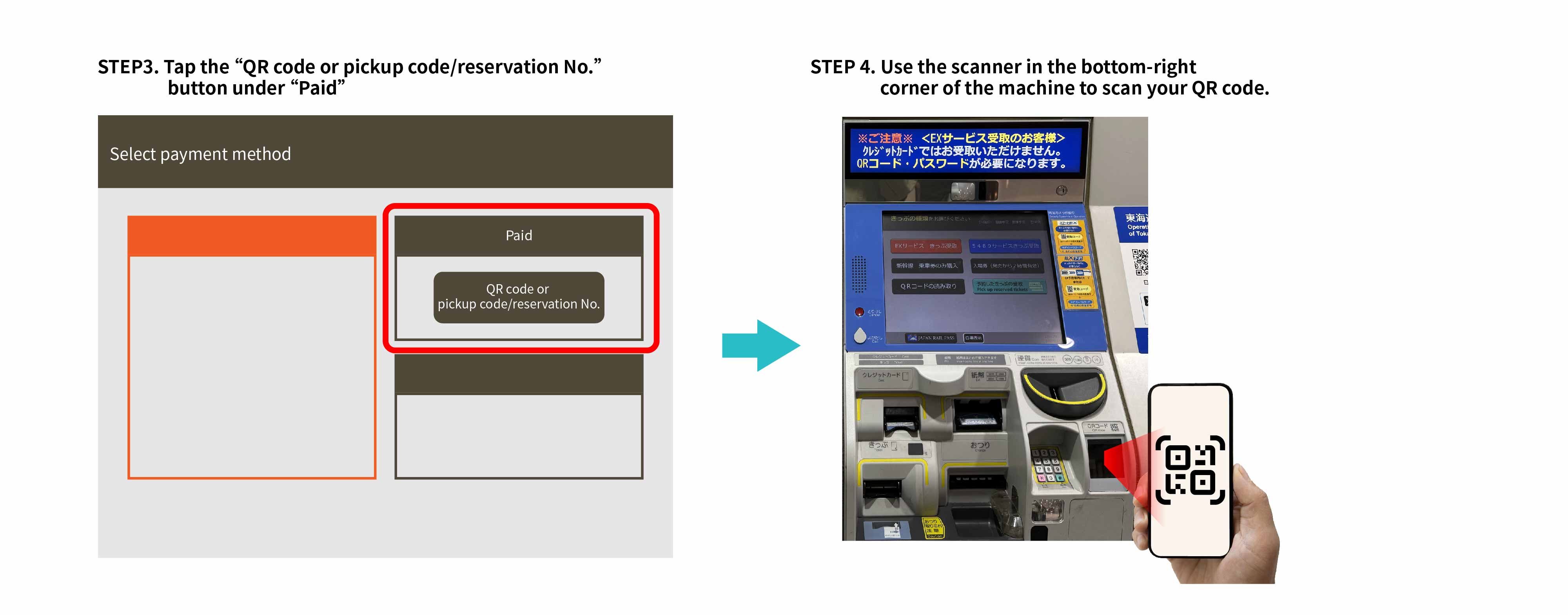
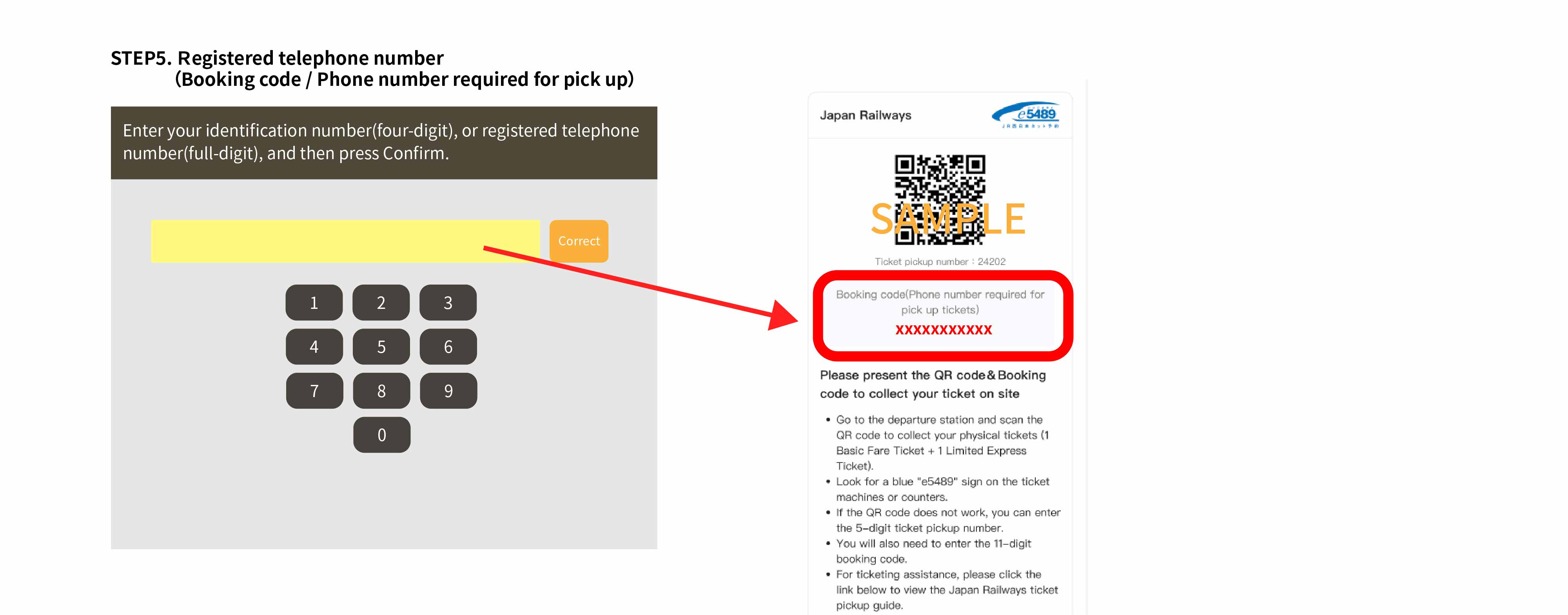
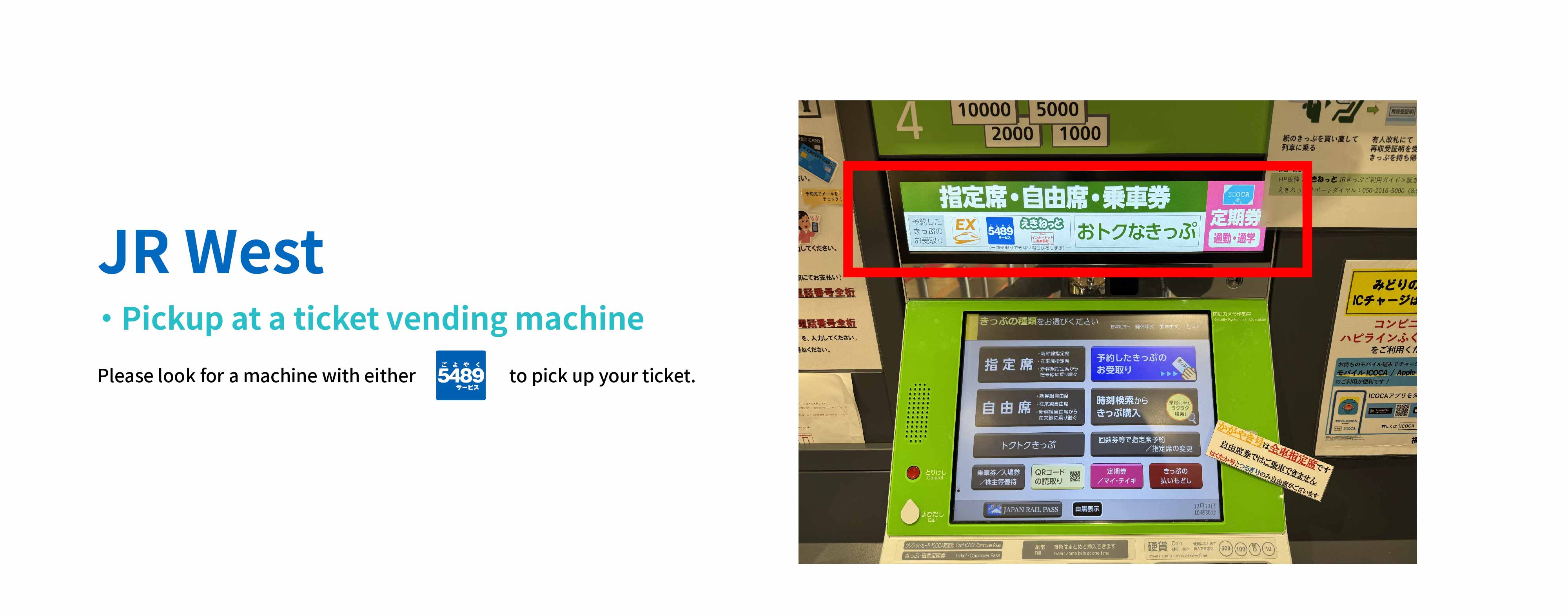



Cancellation Policy
- Before picking up Physical Tickets: Contact KKday customer service within the designated time to cancel according to the cancellation policy. (Refer to the order details for details.)
- After picking up Physical Tickets: KKday customer service cannot process cancellations. You must visit a station's Midori-no-Madoguchi (staffed ticket counter) to cancel your ticket manually. Cancellation fees may apply. Please consult the counter staff for details.
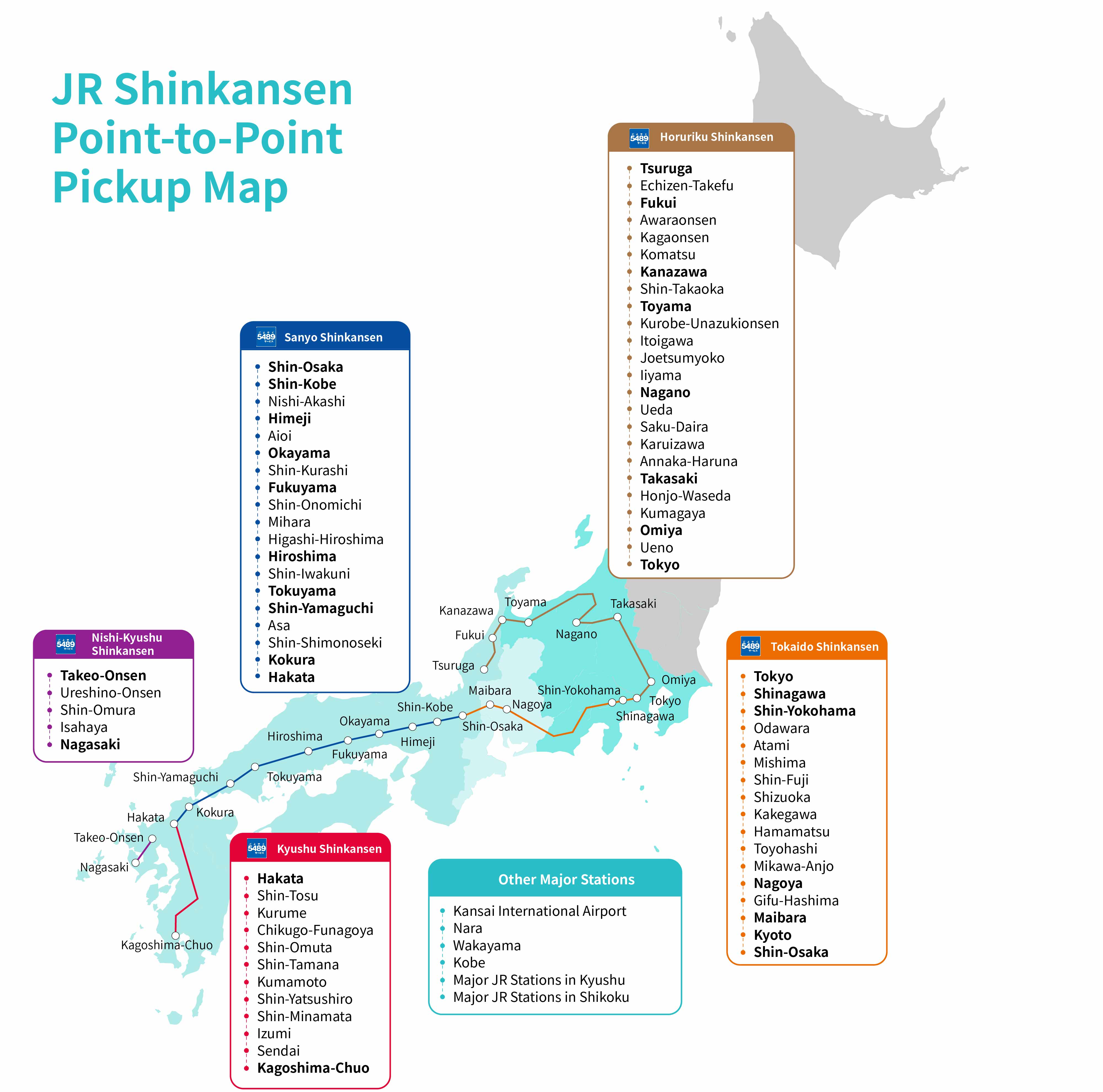
- *Note: Not all JR stations have staffed ticket counters. If your station lacks one, visit the nearest major station (indicated in bold on the map) to process your cancellation.


