

Korean eSIM|SKT 5G/4G Unlimited eSIM
- Operated by DHA Corporation, Japan
- Multilingual (Chinese, English, Japanese) live customer service provides reliable after-sales support.
- Using SKT 5G/4G networks, unlimited data is available to meet your internet needs.
- Hotspot sharing is available.
This eSIM data roaming service is provided by China Unicom.
Pumili ng opsyon
Paglalarawan ng Produkto
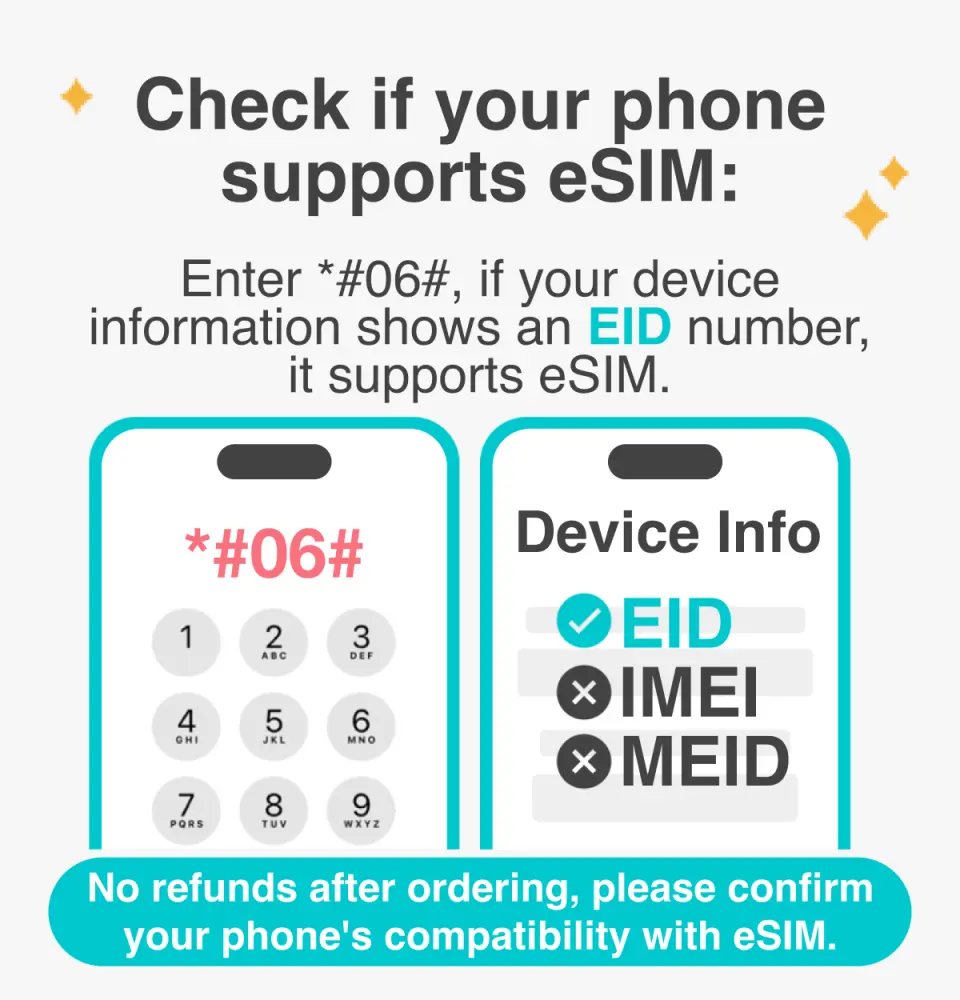
Please confirm that your device is compatible with eSIM before purchasing

eSIM Installation Instructions
Purchase Notice
- Before purchasing, please ensure that your phone and its operating system support the eSIM function. If the order is cancelled due to device incompatibility, no refund will be given.
- iOS requires the latest version; Please note that iPhones sold in mainland China do not support eSIM. In Hong Kong and Macau, only the iPhone 13 mini, iPhone 12 mini, iPhone SE 2020, 2022, and iPhone XS have eSIM functionality. (Please visit Apple's official website for details)
- Samsung phones vary in different countries. Samsung phones purchased in Taiwan do not support eSIM. Please confirm with the Samsung official website for other regions first.
- This product is for Internet access only and does not include call and text messaging functions (you can use communication software such as LINE for calls).
- Provide customer service in Chinese, Taiwanese, English, and Japanese.
- Please note that signal quality may be affected by factors such as location, terrain, building obstruction, number of users, and weather.
Reminders
Before purchasing, please ensure that your phone and its operating system support the eSIM function. If the order is cancelled due to device incompatibility, no refund will be given.
iOS requires the latest version. Please note that iPhones sold in mainland China do not support eSIM. In Hong Kong and Macau, only the iPhone 13 mini, iPhone 12 mini, iPhone SE 2020, 2022, and iPhone XS have eSIM functionality.
Samsung phones vary in different countries. Samsung phones purchased in Taiwan do not support eSIM. Please confirm with the Samsung official website for other regions first.
An internet connection is required to install the eSIM. Please ensure that there is WiFi or mobile data available before installation.
It is recommended that you scan and install the eSIM after arriving in Korea and connecting to the free Wi-Fi at the airport. Do not install the eSIM while in a vehicle to avoid network interruption and failure of eSIM installation.
Each QR code can only be scanned and installed once. Once bound, you cannot change the device or delete it. Once scanned and installed, no returns or refunds are available. Please note that we do not accept returns or refunds.
Please remember to turn off data roaming on the original SIM card to avoid using the original SIM card's mobile network and incurring high roaming charges.
When you finish using the eSIM plan in your phone, click [Remove Action Plan] at the bottom to remove it.
If you encounter any problems with the network card, please contact customer service immediately. Cancellations and refunds without prior contact will not be accepted.
Please note that signal quality may be affected by factors such as location, terrain, building obstruction, number of users, and weather.
How to Use
Installation steps:
- Settings > Mobile Network > Add eSIM > Scan the QR code to install the eSIM
- Turn off other SIM cards and turn on mobile data communication for this eSIM (roaming must be turned on)
- The APN of the eSIM is usually automatically recognized. If it cannot be automatically recognized, you need to set it manually.
Cancellation Policy
- Once the order has been completed, it cannot be canceled, modified, or refunded
- Due to time zone differences, the confirmed cancellation date is based on the supplier’s local time. Please allow 2–5 business days to process your cancellation request, after which the cancellation fee will be charged according to the product’s cancellation policy. Once your refund request is confirmed, KKday will initiate the refund to your original payment method within 15 days. The actual refund timing depends on your card-issuing bank’s policy.


