
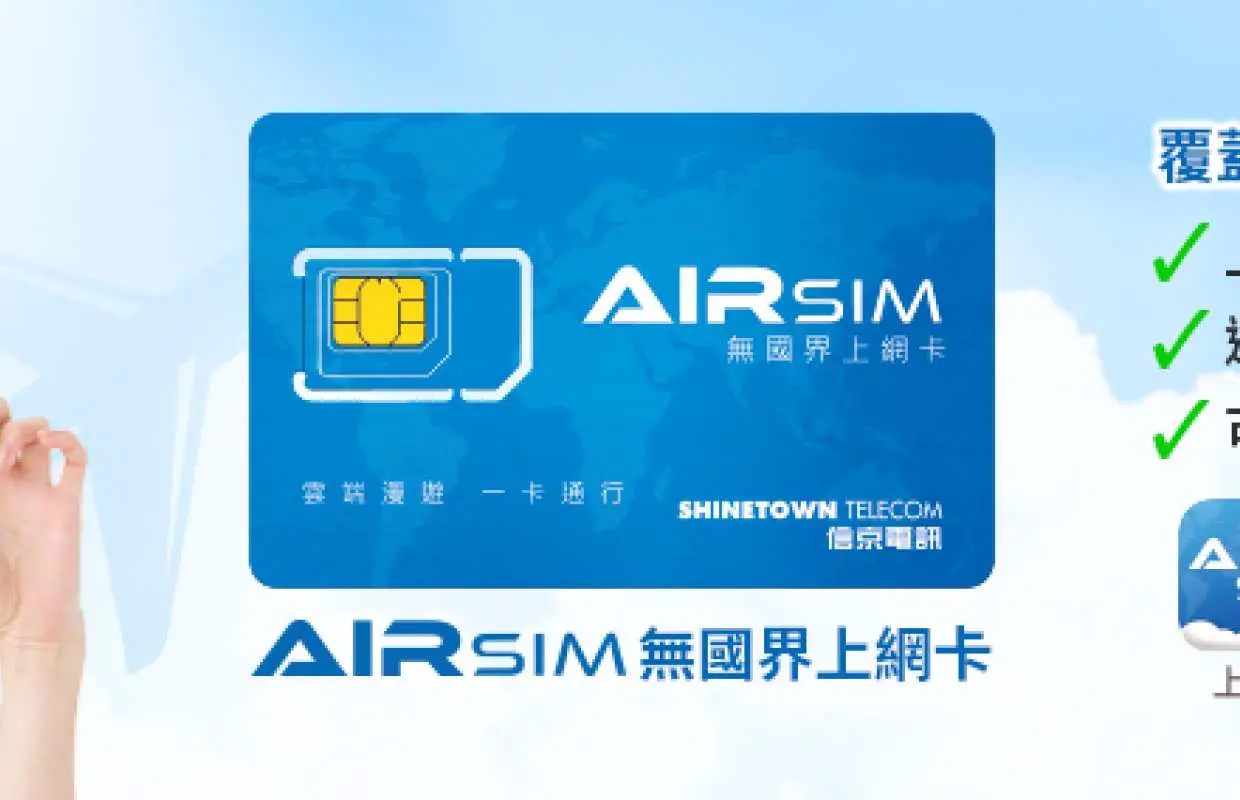


【AIRSIM 無國界上網卡 】覆蓋全球130+地區可重複使用 – 日本4G數據 (香港寄送)
只需每次出發前到AIRSIM ROAM App 購買目的地的數據套餐,當你到達海外時便可即時上網及通話。無需再付昂貴數據漫遊費用,亦無需再到處購買當地SIM卡,方便省時。當你於海外使用AIRSIM時,系統會按照你的所在地區把適用於當地使用的SIM配置到AIRSIM上。
選擇方案
商品說明
- 產品特色 -
- 只需3分鐘,你便可以輕輕鬆鬆流動上網
- 無需再到處購買當地SIM卡,方便省時
- AIRSIM可以重複使用,一卡遊走130多個國家及地區
- 上網+通話一張卡搞掂,每個數據套餐均送30分鐘通話時間
- AIRSIM 日本數據套餐低至HK$10/日,支援 Docomo / Softbank 當地網絡商,特設固定數據用量 / 無限數據 / MAX 無限數據多款不同套餐選擇
- 預付卡產品詳情 -
AIRSIM HK$120 面值卡 (內含HK$100儲值額)
- 高速4G數據及語音通話服務
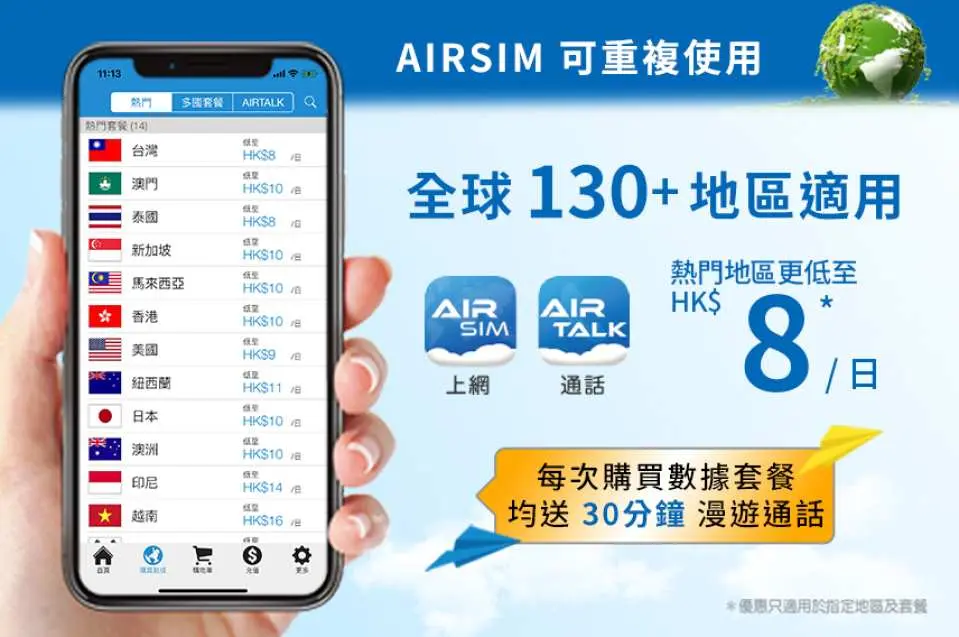
- 彈性數據套餐任你選擇,熱門地區更低至HK$8/日
- 每個數據套餐均送30分鐘 AIRTALK 漫遊通話
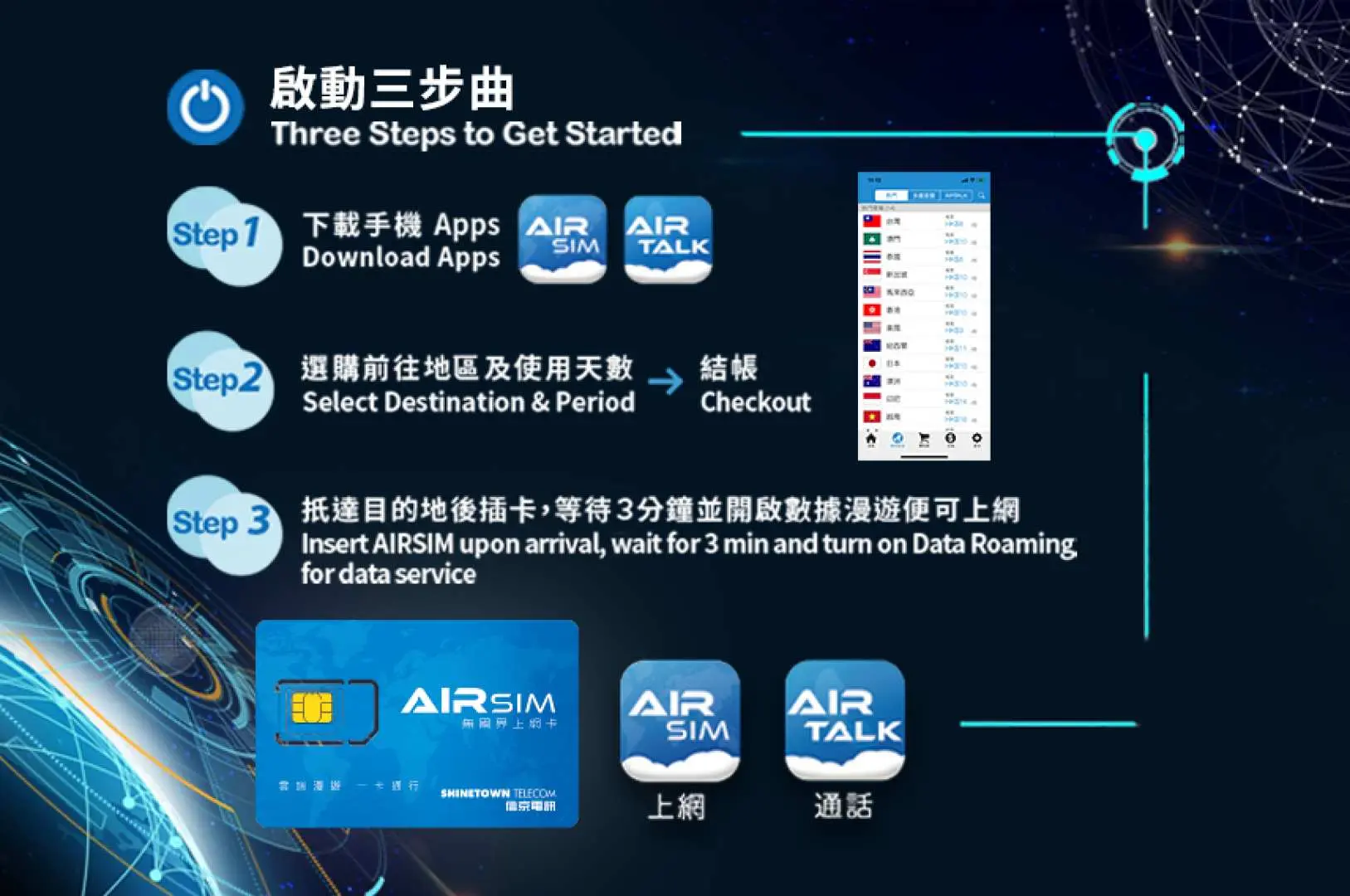
- 於App Store 或 Google Play Store下載流動程式 “AIRSIM ROAM” 及 “AIRTALK ROAM”
- 每次外遊前只需於 APP 內選擇地區、用量及使用日數。到埗插卡及打開數據漫遊功能,3分鐘內便可上網
- 可重複使用
- 24/7 真人即時客服支援 WhatsApp : +852 6990 6880
- AIRSIM 覆蓋範圍及數據套餐選項詳情,請參閱 https://www.airsim.com.hk/
- AIRSIM 1 分鐘教學短片:按此
- 什麼是 AIRSIM 無國界上網卡:按此
- 包裝内附 -
- 三合一SIM卡 x 1
- 用戶指南 x 1
- 保護卡套 x 1
- 卡針 x 1
-寄送資訊-
- 請您下訂時提供完整地址以利配送
- AIRSIM會以平郵把AIRSIM寄給你。我們將會於3個工作天內寄出AIRSIM,香港郵遞派送需時2-4個工作天。使用平郵寄送是免收運費的。如選擇平郵寄送,客戶需要自行承擔平郵寄失的風險。請注意平郵不設郵寄編號網上追查。
- 如需以順豐速運寄送香港地區,下單時請註明。運費將由客人自付,順豐職員將於派送時向客人收取運費(約港幣30元)順豐速運需時1至2個工作天。(詳情請參閱 http://www.sf-express.com/hk/tc/ )。
- 客戶亦可選擇親身到 AIRSIM 銅鑼灣服務中心或 AIRSIM 沙田石門辦事處領取,下單並成功結帳後憑 kkday訂單號碼便可取卡。
AIRSIM 服務中心 (Shine Club)
- 地址:香港銅鑼灣糖街23號銅鑼灣中心一樓115號舖
- 營業時間:星期一至六: 11:00 – 19:30;星期日: 09:00 – 19:00
AIRSIM 辦事處
- 地址:香港新界沙田安麗街 11 號企業中心 22 樓 7-11 室 (石門站C出口,步行3分鐘)
- 營業時間:星期一至五:09:00 – 18:00
- 注意事項 -
備註:
1. 每次外遊前只需於 APP 內選擇地區、用量及使用日數,到埗插卡,打開數據漫遊功能,3分鐘內便可上網。
2. AIRSIM只適用於手機或iPad等平板電腦,不能在WiFi蛋上使用。你可以使用你的手機或平板電腦進行數據共享。
3. 除了24/48小時數據套餐外,數據計算是以香港時間(GMT+8)00:00:00至23:59:59為一天。不足一天亦以一天計算。24/48小時數據套餐的有效時間是由數據服務啟動開始計算連續使用24/48個小時。
4. 由於大部份海外流動電話網絡商都有公平使用原則,建議客戶關閉手機軟件自動更新功能,及需要高數據流量時使用免費WiFi 。
5. AIRSIM只提供流動數據服務,並不支援短訊服務。但只要下載及使用流動程式AIRTALK ROAM,便可以致電當地及本地電話號碼,飛線後更可接聽香港來電,來電顯示也是用戶登記的手機號碼。接聽電話功能只適用於香港手機號碼用戶。
6. 在 AIRSIM ROAM App 內購買數據套餐,以 Visa / Mastercard / PayPal / Apple Pay / Google Pay 於 App 內直接付款,可即買即用。
7. AIRSIM可循環使用,下次旅行時,只需在AIRSIM APP內購買數據套餐,便可再次使用數據服務。
8. AIRSIM 面值卡內的儲值額可以用來購買數據套餐。你可保留結存於 AIRSIM 帳戶內。於 AIRSIM App 首次註冊後,AIRSIM 帳戶會有一年有效期。每次購買數據套餐,AIRSIM 的有效期會自動延長一年。
各國價格

如何啟動

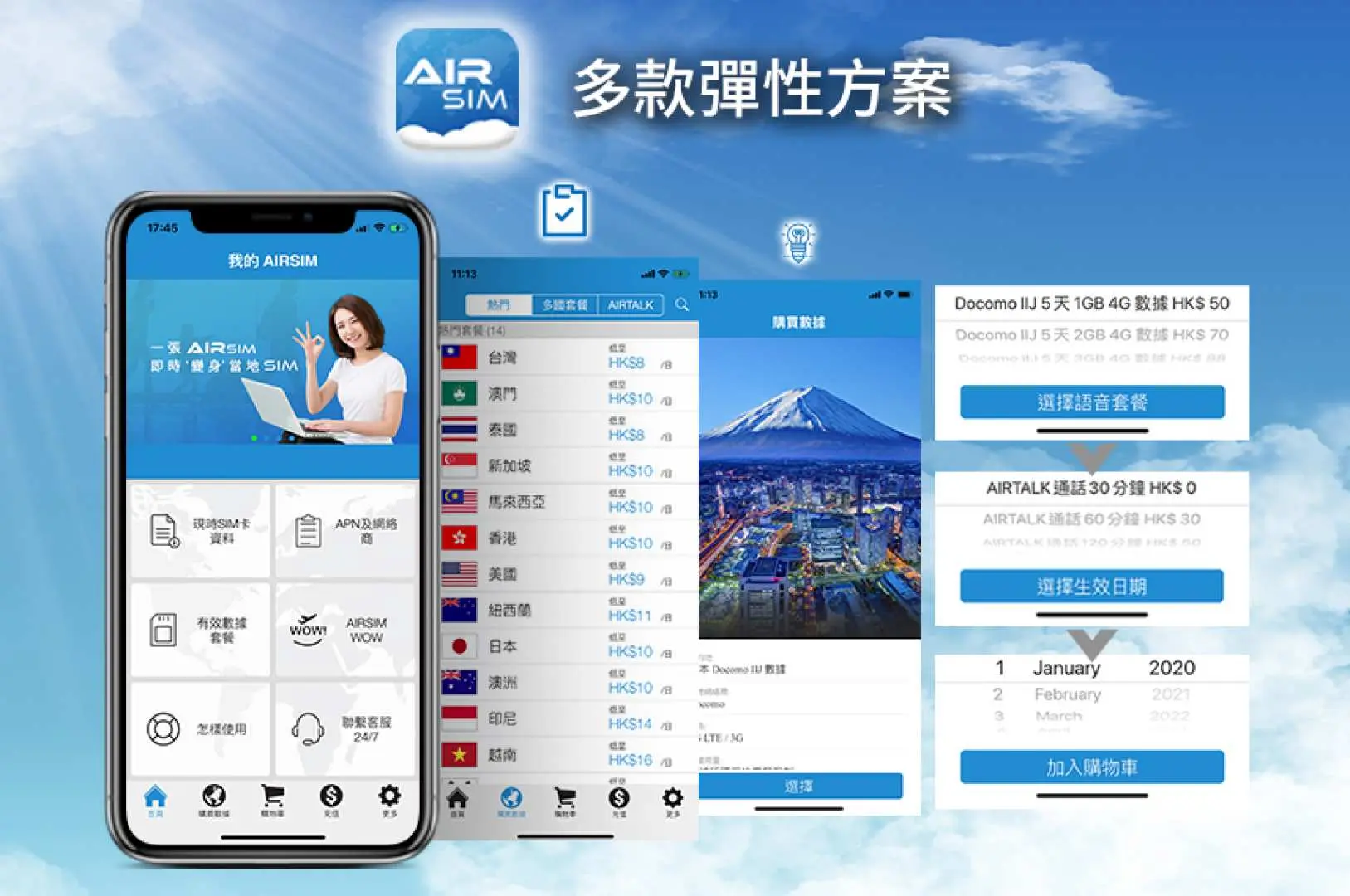
多款彈性方案

24/7客戶服務


體驗地點
地點名稱: 體驗地點
地址: 香港取消政策
- 商品一經訂購完成後,即不可取消、更改訂單,亦不得請求退款
- 由於站內商品來自全球各地,訂單取消時間將依該供應商所在時區判定。供應商需 2-5 個工作天進行取消流程,依照您購買的商品取消政策收取手續費,並於取消流程完成後14 個工作天內退款。
常見問題
AIRSIM 數據卡提供多款數據套餐,可配合不同地區及使用需求。部分套餐雖然數據量充裕,但通常設有指定數據上限或每日公平使用量政策,並非真正無限數據。用戶可在 AIRSIM ROAM 應用程式中,於購買前查閱各數據計劃的詳細資料。
是的,AIRSIM 數據卡主要旨在為旅客提供便捷的數據連接服務。用戶可透過 AIRSIM ROAM 應用程式購買純數據套餐,以便在海外時上網、使用通訊應用程式及瀏覽網頁,而無需額外購買當地 SIM 卡或僅依賴 Wi-Fi。
AIRSIM 數據卡主要作為一張數據 SIM 卡運作,讓用戶購買及啟用數據計劃,以便在全球超過 130 個地區連接互聯網。雖然它提供上網服務,但其核心設計是為旅客提供無憂的數據服務,減少購買傳統數據漫遊或當地 SIM 卡的需要。
是的,在取得實體 AIRSIM 數據卡後,下一步是下載 AIRSIM ROAM 應用程式。在此應用程式內,您將選擇旅行目的地並購買合適的數據套餐。這樣可確保您的 AIRSIM 卡預載數據計劃,讓您抵達目的地後即可立即連接互聯網。
當您抵達國際目的地後,AIRSIM 數據卡的系統會自動偵測您的位置,並自行配置連接至合適的當地流動網絡。透過在出發前透過 AIRSIM ROAM 應用程式購買數據套餐,您便可在落地後無縫連接互聯網,保持聯繫。
如果沒有 AIRSIM 卡,常見的國際互聯網連接方式包括:抵達後購買當地實體 SIM 卡、使用支援 eSIM 的裝置連接其他供應商的 eSIM、租用便攜式 Wi-Fi 裝置(Pocket Wi-Fi),或依賴公共及酒店 Wi-Fi 網絡。每種選擇都有其設定要求和潛在費用。
要啟用 AIRSIM 數據卡上的互聯網服務,首先透過 AIRSIM ROAM 應用程式下載並註冊您的 SIM 卡。在出發前,請在應用程式內選擇您的目的地並購買合適的數據套餐。抵達海外後,將 AIRSIM 卡插入您的裝置,啟用數據漫遊,您的互聯網服務應會自動啟用。
AIRSIM 數據卡可供您在不同旅程及國家重複使用。為重複使用,請在每次新旅程前開啟 AIRSIM ROAM 應用程式。選擇您即將前往的目的地,為該地區選擇並購買新的數據套餐。然後,該卡便可在新地點提供互聯網連接。
取得協助


