





Malaysia eSIM | Tune Talk 5G Total Data/Unlimited eSIM
- Introducing Malaysia Traveller eSIM - Now with 5G!
- Enjoy seamless and fast data connection in Malaysia.
- Upload your photos anytime you want and easily get in touch with your family and friends online.
★★★ Must Experience In Malaysia ★★★
Product Info
-Important Information-
- Overseas travelers must complete real-name registration at least two days in advance before installing the Tune Talk eSIM.
- Download Tune Talk App: iOS, Android
★★★ Installing before registration will invalidate the eSIM, and no refund will be given.


【STEP 2: Install your eSIM】Open the camera, scan the eSIM QR code, and tap "Add Cellular Plan." (For Android devices, please refer to the "How to Use" section.)


【STEP 2-1】After scanning the eSIM QR code, the activation typically takes around 2–3 minutes. Any interruptions during this process may result in installation failure.


【STEP 2-2】You can assign a label to each cellular plan, and customize your eSIM label by going to Settings and selecting Cellular.

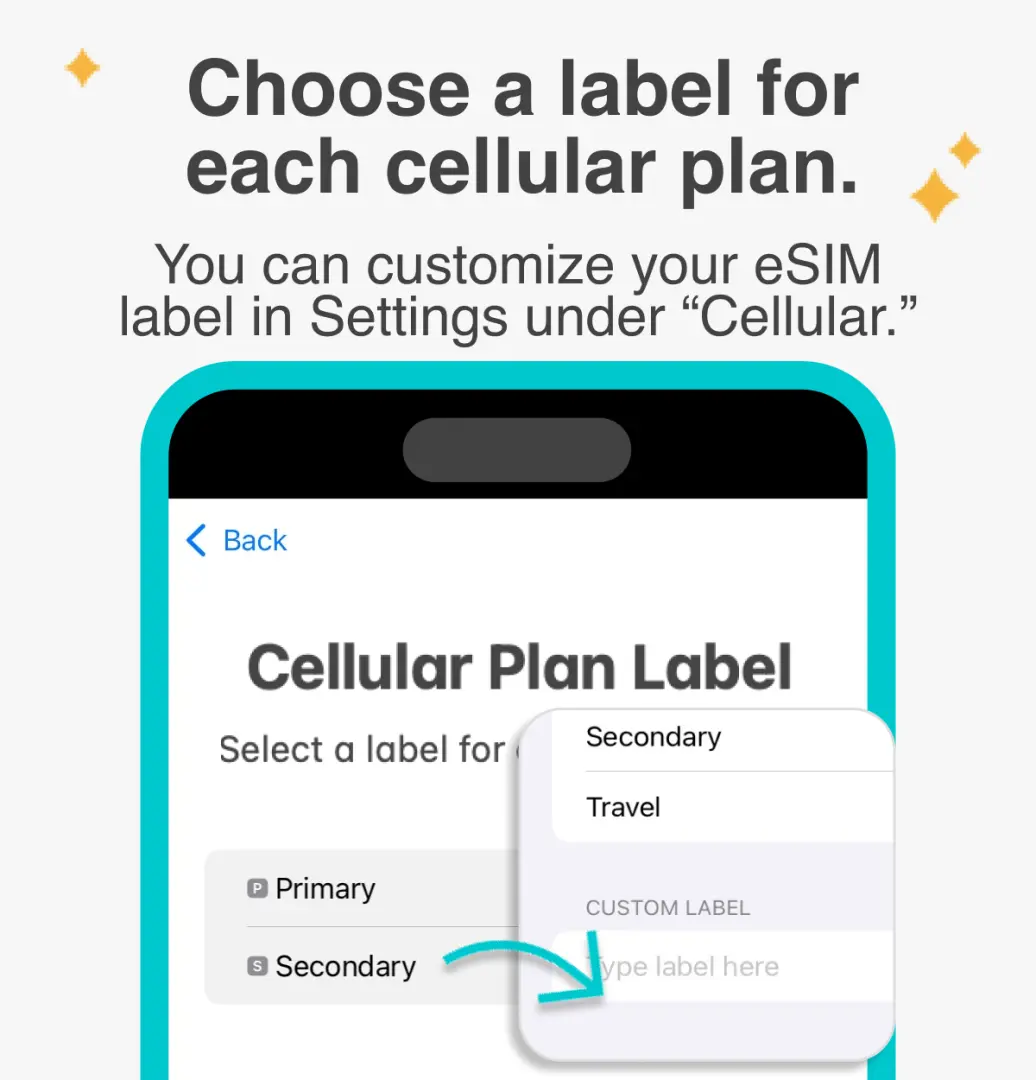
【STEP 2-3】Select the default line (Primary SIM) to designate the main phone number for receiving text messages.


【STEP 2-4】You can designate the primary SIM for iMessages and FaceTime.


【STEP 2-5】Make sure to select eSIM as your cellular data plan. A common reason for being unable to access the internet is that eSIM mobile data is not enabled.


Purchase Notice
- Kindly note that, in accordance with Malaysian regulations, eSIM activation requires registration as a mandatory step to comply with local laws.
- Your eSIM can only be installed ONCE. Subsequent eSIM installations will require a new eSIM purchase. (e.g, switching devices, accidental deletion etc.)
- Please ensure your mobile phone and its operating system are compatible with eSIM, failure to do so may result in activation failure, and refunds will not be granted. Not sure if your device is eSIM compatible? Check list of devices here.
Reminders
【IMPORTANT】DO NOT SCAN ESIM QR CODE FIRST - Please ensure that you register your eSIM through the Tune Talk app before scanning the QR code to install or activate it.
【IMPORTANT】Please complete the registration at least two days prior to the date you intend to use the eSIM.
Valid for use within 30day(s) from the date of issue; Invalid after expiration.
Please complete the registration and installation process within 15/30 days of booking on KKday. (Based on the selected package.)
How to Redeem Your Voucher
Validity Period
- Valid for use within 30day(s) from the date of issue; Invalid after expiration
- Please complete the registration and installation process within 15/30 days of booking on KKday. (Based on the selected package.)
Cancellation Policy
- Once the order has been completed, it cannot be canceled, modified, or refunded
- Due to time zone differences, the confirmed cancellation date is based on the supplier’s local time. Please allow 2–5 business days to process your cancellation request, after which the cancellation fee will be charged according to the product’s cancellation policy. Once the cancellation is confirmed, you will receive your refund within 14 working days.
FAQ
Tourists can easily purchase a Malaysia Tune Talk 5G eSIM online before their trip, such as through KKday, which offers a convenient and straightforward booking process. After purchase, you'll receive an email with a QR code or activation details. Activation typically involves scanning the QR code on an eSIM-compatible device. This method allows for activation prior to arrival or upon landing, ensuring immediate connectivity in Malaysia without needing a physical SIM card.
The Malaysia Tune Talk 5G eSIM offers several advantages over traditional physical SIM cards for international visitors. eSIMs eliminate the need to swap physical cards, reducing the risk of loss and allowing you to retain your home SIM for calls or SMS. Installation is digital, via a QR code, which is quick and easy. It's especially beneficial for devices with only one physical SIM slot, providing dual SIM functionality by combining your physical SIM with an eSIM for data in Malaysia.
Potential limitations of a Malaysia Tune Talk 5G eSIM primarily include device compatibility, as not all smartphones support eSIM technology. Additionally, some users might find the initial digital setup unfamiliar compared to inserting a physical card. If you frequently switch devices, transferring an eSIM can sometimes be more involved than simply moving a physical SIM. However, for most modern travelers, these are minor considerations compared to the convenience offered.
Yes, the Malaysia Tune Talk eSIM is designed to support 5G network connectivity, offering high-speed data access throughout Malaysia where 5G coverage is available. This enables seamless browsing, quick uploads, and smooth streaming, which is ideal for travelers who rely on a fast and stable internet connection for navigation, communication, and sharing their travel experiences.
The Malaysia Tune Talk eSIM operates on the Tune Talk network, which is a mobile virtual network operator (MVNO) in Malaysia. Tune Talk utilizes a major local network infrastructure to provide its services, ensuring broad coverage and reliable connectivity across the country, including 5G services in supported areas. This partnership allows users to benefit from extensive network reach and performance.
Yes, the Malaysia Tune Talk 5G eSIM is primarily designed to provide seamless and fast data connection, often available in data-only plans. These plans are perfect for travelers who mainly need internet access for navigation, social media, messaging apps, and general online browsing, without requiring local call or SMS capabilities. This focus on data simplifies connectivity for many international visitors.
To activate your Malaysia Tune Talk 5G eSIM, ensure your device is connected to Wi-Fi. You will typically receive an email with a QR code; go to your phone's settings (usually 'Cellular' or 'Mobile Data') and select 'Add eSIM' or 'Add Data Plan', then scan the QR code. Follow the prompts to complete the installation. Management usually involves monitoring data usage through your device's settings or a dedicated Tune Talk app, if available.
To ensure you're connected to the 5G network with your Malaysia Tune Talk eSIM, first verify that your device is 5G-compatible and that 5G is enabled in your phone's cellular settings. Make sure you are in an area with 5G coverage in Malaysia. Sometimes, a quick restart of your device or toggling airplane mode on and off can help establish the strongest available connection, including 5G where supported by the network.
Get Help


