

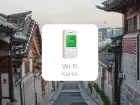
【30% OFF】Korea Unlimited 4G/LTE Pocket WiFi|Pickup at Thailand Airport/Bangkok Samurai Office
- Unlimited 4G/LTE Data: Enjoy fast and reliable internet with no data caps while traveling in Korea
- Convenient Pickup Options: Collect your WiFi device at Thailand Airport or at the Samurai Office in Bangkok
- Seamless Connectivity: Connect multiple devices and stay online for work or leisure with ease
- Portable and Easy to Use: Compact design with long-lasting battery, perfect for keeping you connected on the go
Package Options
Purchase Notice
- Fair Usage Policy (Policy for fair use of data communications)
- Samurai WiFi and MUAY THAI WiFi, our flat-rate data communication products, provide sufficient data capacity for general use through direct use of local lines.
- However, in order to maintain network quality and fair use of radio waves, domestic and international telecommunications companies may limit the amount of communication to users who communicate large amounts of data in a short period of time.
- In this case, you may not be able to connect to the Internet or your communication speed may be extremely slow.
- For the above reasons, if communication restrictions occur, you will not be able to recover during the period of use of the product.
- Please refrain from viewing videos, making internet calls, downloading large files, and online games as much as possible.
- Even if there is a restriction on use, there will be a charge for the period.
- About Refund in case of trouble
- If the service cannot be used due to malfunction, if you do not contact and report a defect we will not be able to provide a refund. No refund will be given even if you purchase equipment at your own discretion.
- It will take minimum 1 month for are supplier to check data usage during a refund application.
Includes/Excludes
- User manual
- Wi-Fi Router
- Battery
- Charging cable
- Adapter
- Power bank
- Insurance
- Other expenses not mentioned above
Equipment Damage & Loss Fee Policy
Damage, Water Damage, Loss
1. Pocket WiFi Device: 5,000THB
2. Charger Set: 400THB
3. Bag: 400THB
4. Power Bank Battery: 2,000THB
Pickup/Return Point
Suvarnabhumi International Airport (BKK) -
AIRPORTELS Booth_Floor B (Airport Rail Link area), near the orange SuperRich booth

Monday 00:00 - 23:59
Tuesday 00:00 - 23:59
Wednesday 00:00 - 23:59
Thursday 00:00 - 23:59
Friday 00:00 - 23:59
Saturday 00:00 - 23:59
Sunday 00:00 - 23:59
Bangkok Samurai co.,ltd. (Head Office)
Address Info: 73/7 Soi Ruamrudee 2, Lumpini Subdistrict, Pathumwan District, Bangkok 10330
Monday 09:00 - 18:00
Tuesday 09:00 - 18:00
Wednesday 09:00 - 18:00
Thursday 09:00 - 18:00
Friday 09:00 - 18:00
Saturday 09:00 - 18:00
Sunday 09:00 - 18:00
How to Use
When you arrive at your destination, Just turn on the pocket WiFi, and please enjoy the high-speed internet.
How to Use Your Voucher
- Please present your e-voucher and passport on-site
Voucher Redemption Period
- The voucher must be redeemed on the selected date and within operating hours; Invalid after expiration
Cancellation Policy
- Cancellations 4 day(s) (inclusive) before the selected date are allowed. Unused orders can be canceled for free
- Cancellation is not allowed between 0–3 days from the selected date. Orders cannot be canceled or modified, and refunds will not be granted.
- Due to time zone differences, the confirmed cancellation date is based on the supplier’s local time. Please allow 2–5 business days to process your cancellation request, after which the cancellation fee will be charged according to the product’s cancellation policy. Once your refund request is confirmed, KKday will initiate the refund to your original payment method within 15 days. The actual refund timing depends on your card-issuing bank’s policy.
FAQ
1. Where can travelers find free WiFi services in Incheon Airport or downtown South Korea?
In South Korea, travelers can find free WiFi in various public locations. Incheon Airport offers free wireless internet throughout the entire premises. In downtown areas, you can connect at major subway stations, bus stops, tourist information centers, cafes, and some department stores and restaurants. However, the stability and speed of public WiFi may vary by location, and it's important to be mindful of information security.
2. What are the main internet access options for traveling to South Korea?
For traveling to South Korea, the main internet access options include renting a WiFi egg (pocket WiFi), purchasing a local physical SIM card, using an eSIM, or relying on free public WiFi. A pocket WiFi is suitable for multiple users and travelers who wish to keep their original phone number. SIM cards and eSIMs offer the convenience of personalized, direct connection to the local network. Free public WiFi can be used as a supplementary option but is not recommended as the primary means of internet access.
3. What are the main advantages of renting a pocket WiFi in South Korea, and who is it particularly suitable for?
A significant advantage of renting a pocket WiFi in South Korea is unlimited 4G/LTE high-speed internet access, with the ability to connect multiple devices simultaneously. This is ideal for group or family trips, or for travelers who need to handle business matters. It eliminates the hassle of swapping SIM cards, and the device is lightweight, portable, and has good battery life, ensuring you stay connected throughout your journey.
4. When traveling to South Korea, how can I estimate my data needs for a SIM card or eSIM?
To estimate your data needs for a SIM card or eSIM, consider your usage habits and the length of your trip. If you only use it for map navigation, messaging, and minimal social media browsing, about 1-2GB per day should suffice. If you frequently watch videos, make video calls, or share your hotspot with others, it's recommended to choose a plan with 3GB or more per day, or unlimited data. The data requirements will be higher for multiple users or longer trips.
5. What are the important considerations when choosing an eSIM for internet access in South Korea?
When choosing an eSIM for internet access in South Korea, the primary consideration is whether your phone supports eSIM functionality. Secondly, you need to confirm if the eSIM activation process is simple and if the network coverage and speed provided meet your needs. Additionally, you should compare plans from different eSIM providers to select the option that best suits your travel duration and data requirements, ensuring communication convenience throughout your trip.
6. Does renting an unlimited data pocket WiFi in South Korea support multiple people and devices connecting simultaneously?
Yes, unlimited data pocket WiFi devices in South Korea typically support multiple people and devices connecting simultaneously. These devices are designed for convenient sharing among several travelers and can generally connect 3 to 5 devices at once, such as smartphones, tablets, and laptops. This is very convenient for group or family travel, ensuring all members can enjoy stable internet service.
7. For travelers departing from Thailand, are there convenient pick-up options for renting a pocket WiFi in South Korea?
For travelers departing from Thailand, some South Korean pocket WiFi services offer convenient pick-up options. You can pre-arrange to collect the device at Thai airports (like Suvarnabhumi Airport) or at designated offices in Bangkok (e.g., the Samurai office in Bangkok). This allows you to prepare your internet device before heading to South Korea, so you can use it immediately upon arrival, saving you the trouble of finding a pick-up location in South Korea.
8. What precautions should be taken when using a pocket WiFi in South Korea to ensure stable internet connection and battery life?
To ensure a stable internet connection and battery life for your pocket WiFi in South Korea, it is recommended to fully charge the device before your trip and carry a power bank as a backup. When in use, try to place the WiFi egg in an open area, away from obstructions that could affect the signal. You can temporarily turn off the device or use its power-saving mode when not in use to help extend battery life. Avoid prolonged use in extreme temperatures.


