

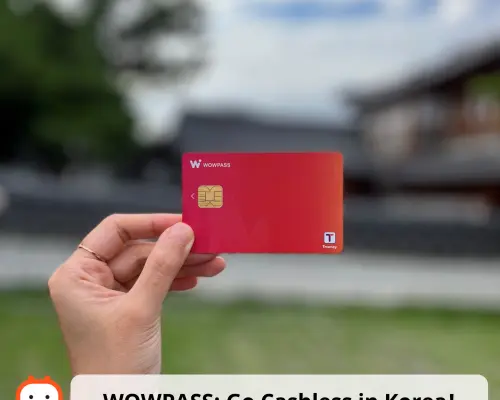

WOWPASS: Prepaid Card for Cashless Payment in Korea | South Korea
If you want to purchase the KKday x WOWPASS exclusive card, please purchase it here:
TW Airport Pickup (Taoyuan / Songshan / Xiaogang) | HK Office Pickup.
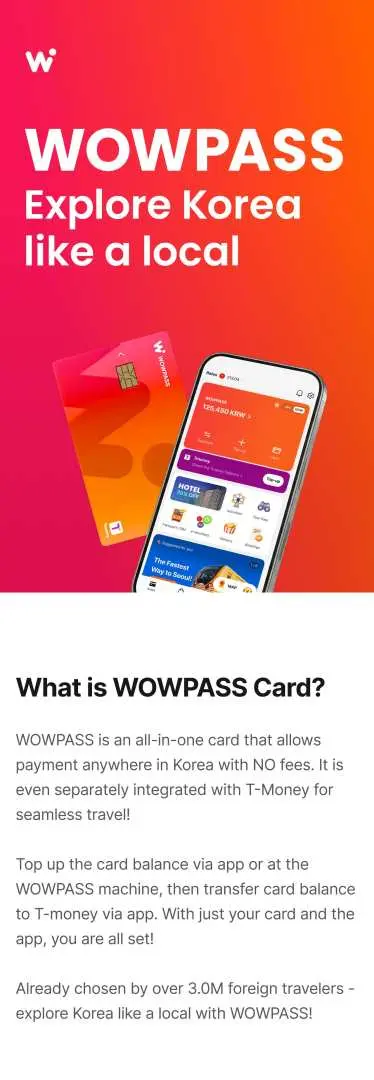
Grab the WOWPASS, all-in-one prepaid card for foreign travelers in Korea! Use it for currency exchange, cashless payment, and even public transportation. Enjoy the features of a debit card, combined with the convenience of a T-money card.
- NEW! WOWPASS: Chicken & pizza, delivered to your hotel.
- Top up using 16 different currencies at a better rate
- Pay anywhere in Korea using this card
- It comes with a free transportation card (T-money) function as well
- Regardless of use, this product is non-refundable after purchase
Find a WOWPASS machine > Select [Issue via Code] with 6-digit voucher code.
Transport Card & Pass Info
| Ticket type | Transport IC card |
Product Info
– What You Can Expect –
Get yourself a WOWPASS card, an all-in-one prepaid card, for your Korea travels!
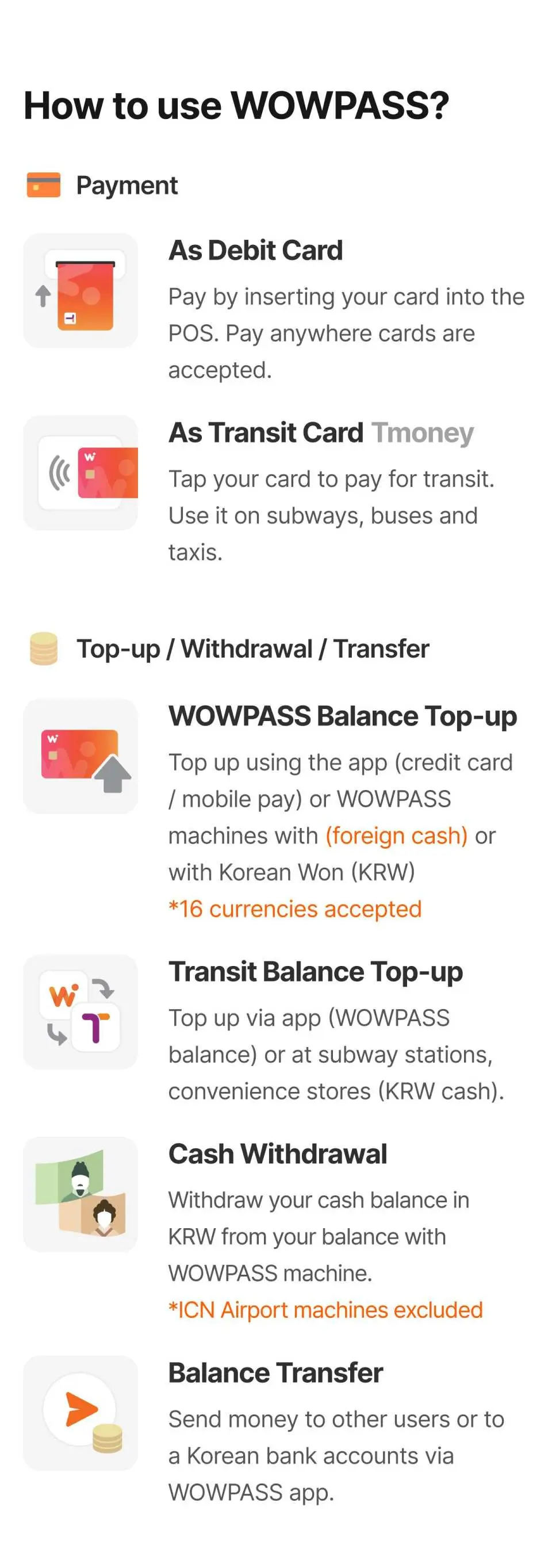
Perfect for foreign travelers, enjoy currency exchange, cashless payment, and public transportation payments using this card. Pay anywhere in Korea just like a local debit card, and use it as a T-money card to ride subways, buses, and taxis. You can issue & top up WOWPASS cards using 16 different currencies at over 250 machines at major subways, hotels, and airports, and withdraw any leftover KRW balance into cash. Link the card to the WOWPASS mobile app and you can view the card balance & usage history, as well as check out the various brand cashback benefits.
Enjoy easy transactions in Korea and book with KKday now!
– Important Info —
- View more locations (250+ machines): WOWPASS Locations
- Download WOWPASS APP : IOS APP / GOOGLE PLAY
- Contact with Customer Service Center : WOWPASS HOTLINE
- Frequently Asked Questions : FAQ





Purchase Notice
— Branch Info —
- - Incheon Airport Terminal 1 CU Convenience Store, Store No. 1 in the arrival hall
- Operating hours: 06:00 AM - 11:59 PM
Only accepts Korean Won (Issuing new card, reissuing, and topping up balance available.) / Exchange and balance withdrawal service not available
- - Incheon Airport Terminal 2 CU Convenience Store, Store No. 3
- Operating hours: 07:00 AM - 10:00 PM
Only accepts Korean Won (Issuing new card and topping up WOWPASS balance available.) / Exchange and balance withdrawal service not available
- Gimpo Int'l Airport Station
- From International departure (LOTTE Mall) to subway station
- Business hours: 6:00 am–12:00 am - Hongik Univ. Station
- At Exit 2, next to ticket machines
- Business hours: 6:00 am–12:00 am - Myeongdong Station
- Opposite to ticketing booth (B1) & next to luggage lockers (B2) under Exit 2 ~ 8 side
- Business hours: 6:00 am–12:00 am - Seoul Station (Line 4)
- En route from Airport Railway to Line 4 (near the transfer gateway inside the station)
- Business hours: 6:00 am–12:00 am - Gangnam Station
- Underground area between Exit 11 & 12
- Business hours: 6:00 am–12:00 am - Dongdaemun History & Culture Park Station (Line 2)
- Left of Exit 1, next to luggage storage kiosks
- Business hours: 6:00 am–11:30 pm
— Additional Info —
- WOWPASS card can only be used in offline stores in Korea
- Transportation balance (T-money) cannot be charged using foreign currency. It can only be charged using KRW cash at subway machines or convenience stores
- If you need KRW cash, you can withdraw them from WOWPASS machines. However, machines at ICN airport do not support the withdrawal function and instead, come with a pre-charged transit balance of ₩10,000
- Maximum foreign currency top-up per day: ₩2 million
- Maximum top-up per week: ₩10 million
- Card balance withdrawal fee: ₩1,000
- Card reissue fee: ₩3,000
— Available Currencies to Top Up —
- USD ( 100 / 50 / 20 / 10 )
- JPY ( 10,000 / 5,000 / 1,000 )
- EUR ( 100 / 50 / 20 / 10 )
- CNY ( 100 )
- TWD ( 1,000 / 500 )
- HKD ( 1,000 / 500 / 100 )
- SGD ( 100 / 50 )
- AUD ( 100 / 50 )
- CAD ( 50 )
- GBP ( 20 )
- THB ( 1,000 )
- PHP ( 1,000 )
- VND ( 500,000 )
- MYR ( 100 )
- IDR ( 10,0000 )
Eligible Users
Ineligible Nationalities/Regions
- South Korea
Reminders
Find a WOWPASS machine > Select [Issue via Code] with 6-digit voucher code
The WOWPASS Card ONLY can exchange with the WOWPASS kiosk machine.
Please check the "View more locations (250+ machines): WOWPASS Locations" in the product page to see where you can find the nearest WOWPASS kiosk machine before travel.
If you have any problem with exchanging your WOWPASS card, please contact with WOWPASS HOTLINE (You can check the link in product page)
Regardless of use, this product is non-refundable after purchase
Only one card can be issued per passport
How to Use
How to get there
Step1. Find a WOWPASS Machine
Step2. Select [Get a New Card]
Step3. Select [Issue via Code]
Step4. Select currency
Step5. Scan passport
Step6. Enter the 6-digit voucher code(membership fee waived) and check [I agree with the collection/use of personal information]
Step7. Insert the cash amount to top up
Step8. Get your card from the machine and insert it once to activate it
Step9. The card has been issued
Step10. Register your card on the mobile app to check the card balance
How to Use Your Voucher
- Please present the e-voucher on-site
Cancellation Policy
- Once the order has been completed, it cannot be canceled, modified, or refunded
- Due to time zone differences, the confirmed cancellation date is based on the supplier’s local time. Please allow 2–5 business days to process your cancellation request, after which the cancellation fee will be charged according to the product’s cancellation policy. Once the cancellation is confirmed, you will receive your refund within 14 working days.
FAQ
The WOWPASS card is a multi-functional prepaid card designed for foreign travelers in Korea. It combines currency exchange, cashless payment, and a T-money public transportation function into one card. This allows users to easily convert 16 different foreign currencies into Korean Won, make purchases nationwide, and pay for buses and subways without needing multiple cards.
The WOWPASS card integrates the T-money public transportation function, so it can be used for buses and subways just like a standard T-money card. The key difference is that WOWPASS also functions as a prepaid debit card for cashless payments at shops and restaurants, and includes an in-card currency exchange feature, accepting 16 foreign currencies. A traditional T-money card is primarily for transport fares and typically requires separate cash top-ups.
The WOWPASS card can be used for cashless payments anywhere in Korea that accepts card payments. This includes a wide range of merchants such as restaurants, cafes, convenience stores, department stores, and many tourist attractions. It operates like a debit card, offering broad acceptance for everyday transactions throughout your trip.
Yes, the WOWPASS card is designed with security in mind for foreign visitors. As a prepaid card, it helps manage your travel budget and limits potential losses compared to carrying large amounts of cash. Transactions are typically processed through secure payment networks. Always report loss or theft promptly according to the card's terms for protection.
Foreign visitors can obtain a WOWPASS card at designated WOWPASS kiosk machines located in major airports and tourist areas throughout Korea. You will need a 6-digit voucher code to issue the card. For convenience, travelers can pre-purchase the WOWPASS card through KKday, which allows for easy redemption upon arrival, streamlining your entry into cashless payments and public transport use in Korea.
The WOWPASS card supports topping up using 16 different foreign currencies. This allows travelers to exchange their home currency directly into Korean Won at favorable rates using the WOWPASS kiosks, without needing to visit a traditional money exchange booth. This feature provides flexibility and convenience for managing your travel funds.
Yes, the WOWPASS card includes a free transportation card function, similar to a T-money card. This means you can use it to pay fares on subways, buses, and some taxis across South Korea. Remember to top up the transportation balance separately at subway stations or convenience stores, distinct from your payment balance.
To exchange foreign currency onto your WOWPASS card, locate a WOWPASS kiosk machine. Insert your foreign currency into the machine, and it will be converted to Korean Won and loaded onto your card's payment balance. The system is designed to offer a convenient exchange rate directly within the card's ecosystem, simplifying money management for travelers.
Get Help


