

Elysian Gangchon 22/23 Time Pass | Monthly Lift Season Pass
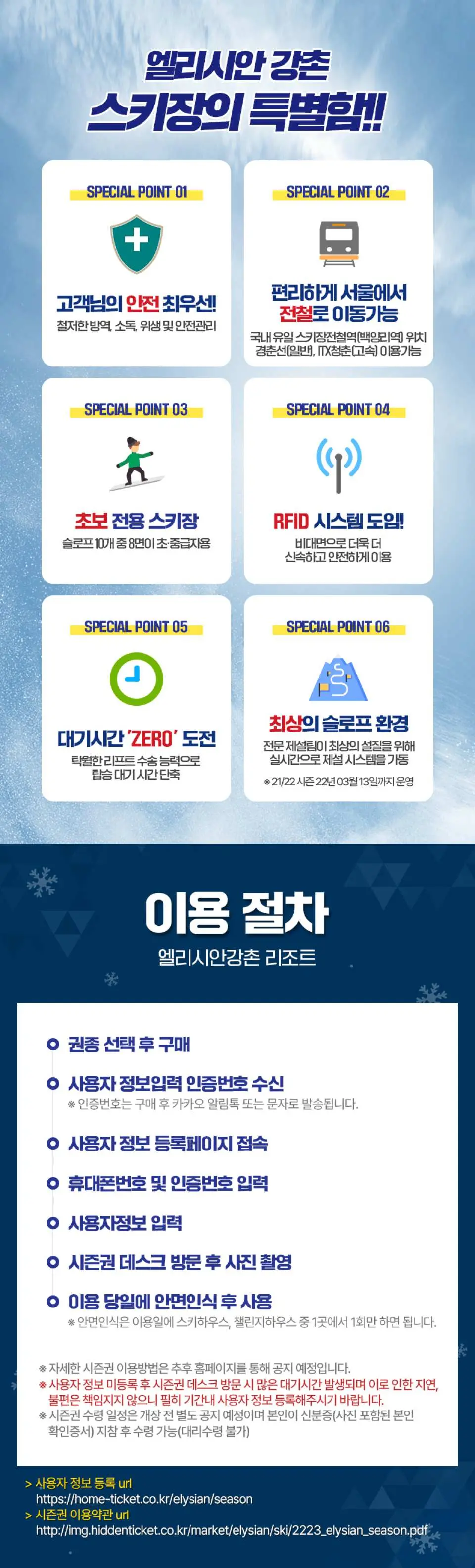
- We are doing our best to be a resort where customers can always use with confidence through thorough quarantine, disinfection, hygiene and safety management.
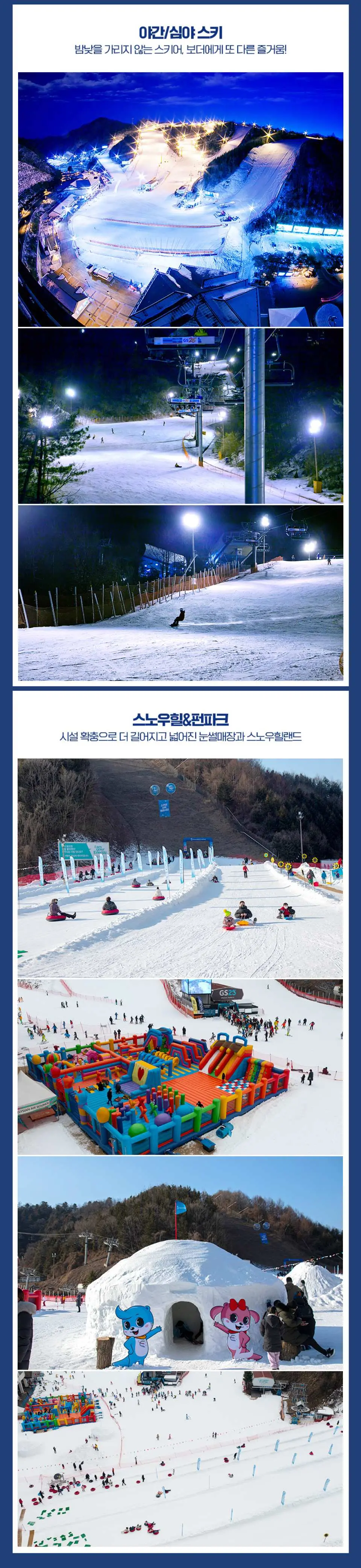
- Eight of the total 10 slopes are for beginners and intermediates, so anyone can enjoy them comfortably and easily.
- With excellent lift transport capacity compared to the number of slope surfaces, you can use it without waiting by reducing the waiting time for boarding.
- The professional snow removal team maintains the best slope environment by operating the snow removal system in real time for the best snow quality.
Product Info
The content of this product is provided by machine translation and may not reflect the actual information, please take this into consideration before booking.
- User information registration URL: https://home-ticket.co.kr/elysian/season
Terms of Use URL : http://img.hiddenticket.co.kr/market/elysian/ski/2223_elysian_season.pdf
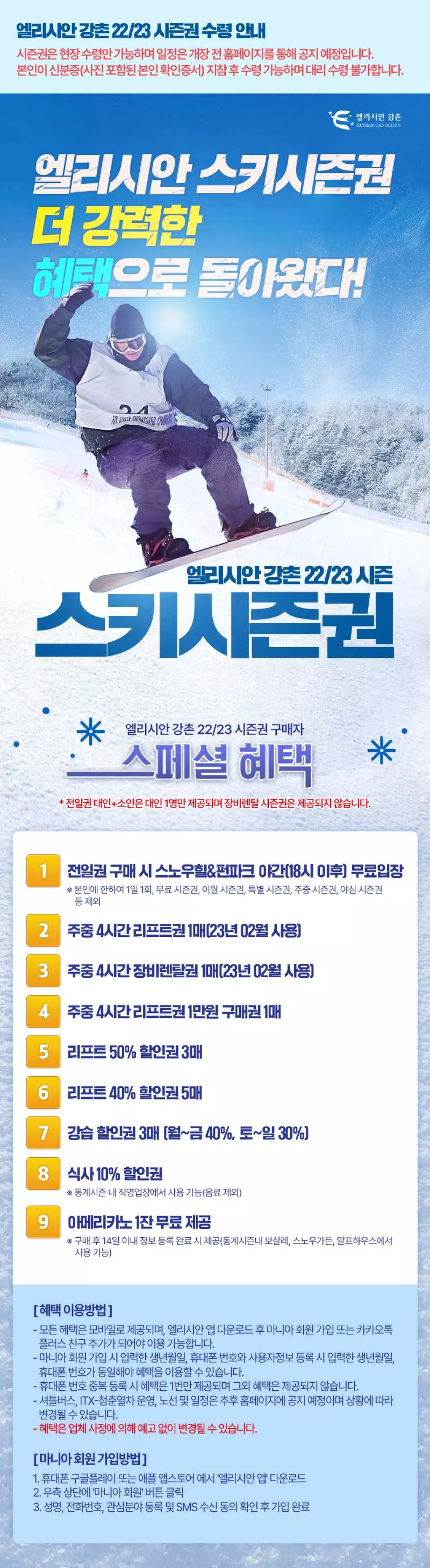
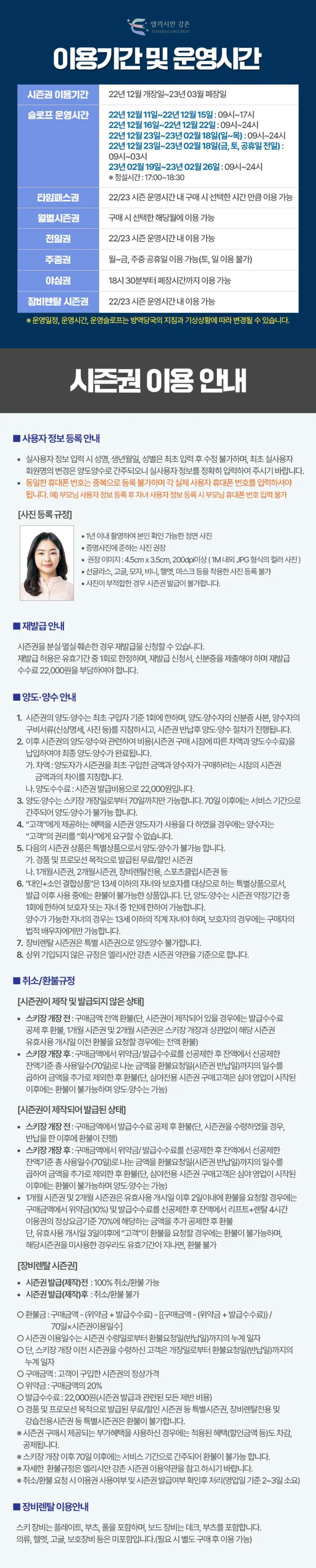


Purchase Notice
- You can purchase up to 3 per ID.
- User Information Registration Guide
When entering real user information, the name, date of birth, and gender cannot be modified after the initial input, and a change in the member name of the first real user is considered a transfer and transfer, so please enter the real user information accurately. The same mobile phone number cannot be registered twice, and you must enter each real user mobile phone number.
Example) After registering parent user information, parents cannot enter their mobile phone number when registering child user information - Photo Registration Regulations
A frontal photo taken within 1 year that can be identified (recommended photo equivalent to ID photo) Recommended image: 4.5cm x 3.5cm, 200dpi or higher (color photo in JPG format around 1M) Sunglasses, goggles, hat, beanie, helmet, mask, etc. Cannot register a photo wearing a season pass if the photo is inappropriate - Reissuance Guide
If the season pass is lost, destroyed or damaged, you can apply for a reissue. Reissuance is allowed only once during the validity period, and a reissuance application and identification card must be submitted, and a reissuance fee of KRW 22,000 must be paid. - Information on transfer/acquisition
1. Transfer/acquisition of season tickets is limited to one time per first-time purchaser. Bring a copy of the transferor/transferee's ID card and required documents (personal details, photo, etc.) of the transferee, and transfer/acquisition procedures will proceed after returning the season pass.
2. The final transfer/acquisition is completed only after payment of the cost (difference according to the time of season ticket purchase and transfer fee) in relation to the transfer/acquisition of the season ticket thereafter.
go. Difference: Refers to the difference between the amount of the season ticket initially purchased by the transferor and the amount of the season ticket at the time the transferee intends to purchase it.
me. Transfer fee: 22,000 won for issuing season tickets.
3. Transfer/acquisition is possible only within 70 days from the opening date of the ski resort. After 70 days, it is regarded as the service period and cannot be transferred or acquired.
4. If the transferor of the season ticket has exhausted the benefits provided to the “customer”, the transferee cannot claim the rights of the “customer” to the “company”.
5. The following season ticket products are special products and cannot be transferred or acquired.
go. Free/discount season passes issued for giveaways and promotional purposes
me. 1-month season ticket, 2-month season ticket, equipment rental only, sports club season ticket, etc.
6. "Combined product for adults and children" is a special product for children under the age of 13 and guardians, and is non-refundable while in use after issuance.
However, transfer/acquisition is possible only once during the season ticket contract period, only to one guardian or one child. In the case of adoptable children, they must be direct children under the age of 13, and in the case of guardians, only the legal spouse of the purchaser is allowed.
7. Monthly season tickets are available only when user information is not registered, and cannot be transferred or acquired after user information is registered.
8. Equipment rental season tickets are special season tickets and cannot be transferred or acquired.
9. Rules not listed above are based on the Elysian Gangchon Season Ticket Terms and Conditions.
Reminders
Shuttle bus, ITX-Youth train operation, routes and schedules will be announced on the homepage later and may change depending on the corona situation.
How to Use
1. Purchase after selecting ticket type
2. Receive user information input authentication number
※ The authentication number will be sent via Kakao Notification Talk or text message after purchase.
3. Access the user information registration page
4. Enter mobile phone number and authentication number
5. Enter user information
6. Take a photo after visiting the season ticket desk
7. Use after facial recognition on the day of use
※ Facial recognition is only required once at either the Ski House or the Challenge House on the day of use.
※ Details on how to use season tickets will be announced later on the website.
※ If you visit the season ticket desk after not registering user information, a lot of waiting time will occur, and we are not responsible for any delays or inconveniences caused by this.
※ The season ticket pick-up schedule will be announced separately before the opening, and you can pick it up after you bring your ID card (identity verification certificate with photo) (proxy pickup is not possible)
> Go to user information registration: https://home-ticket.co.kr/elysian/season
> Go directly to Season Ticket Terms and Conditions: http://img.hiddenticket.co.kr/market/elysian/ski/2223_elysian_season.pdf
Time Pass Ticket: Can be used for the selected time when purchased during the operating hours of the 22/23 season
Monthly Season Pass: Available for the month selected at the time of purchase
※ The operating schedule, operating hours, and operating slopes are subject to change according to the guidelines of the quarantine authorities and weather conditions.
Ski equipment includes plates, boots and poles, and board equipment includes decks and boots.
Clothing, helmet, goggles, protective equipment, etc. are not included. (If necessary, it can be used after purchasing separately)
Validity Period
- Valid for use before 2023-02-28; Invalid after expiration
- Season ticket usage period: Opening date in 2022 ~ Closing date in 23
Experience Location
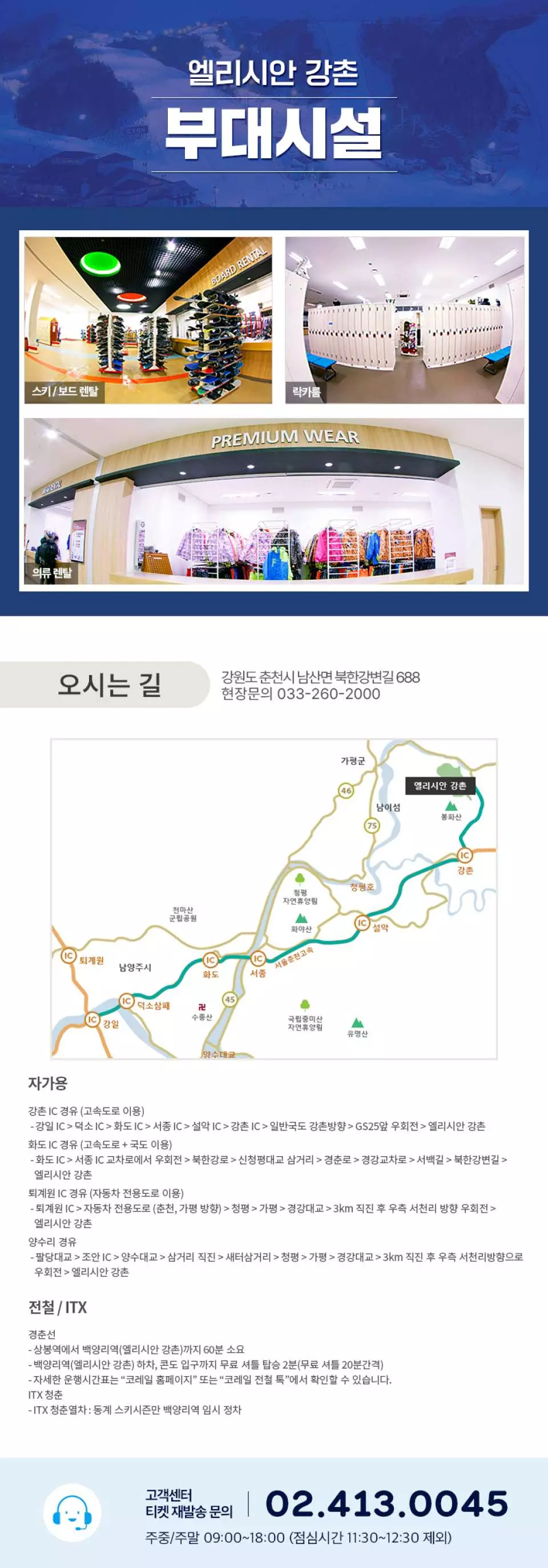
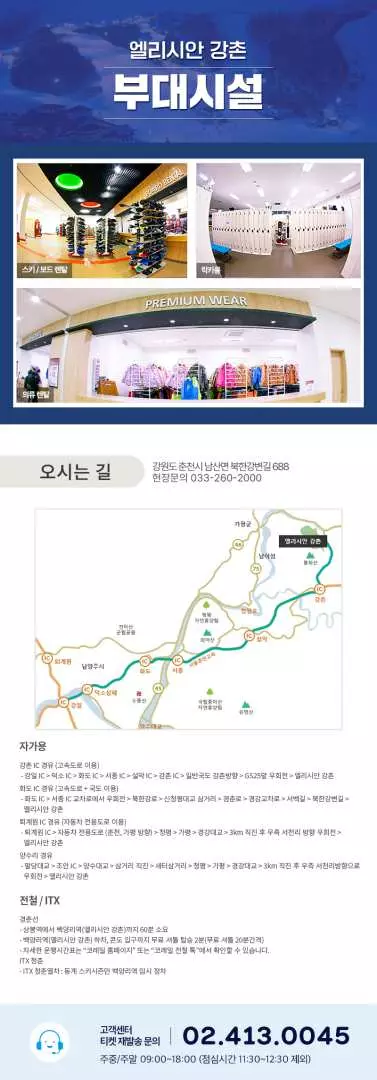
Location Name: Elysian Gangchon
Address: 688, Bukhangangbyeon-gil, Namsan-myeon, Chuncheon-si, Gangwon-do- Slope operating hours
December 11, 2022 - December 15, 22: 09:00 - 17:00
December 16, 22 - December 22, 22: 09:00 - 24:00
December 23, 22 - February 18, 23 (Sun-Thu): 09:00 - 24:00
December 23, 22 - February 18, 23 (Friday, Saturday, the day before holidays): 09:00 - 03:00
February 19, 23 to February 26, 23: 09:00 to 24:00
※ Set-up time: 17:00 - 18:30 - Time Pass Ticket: Can be used for the selected time when purchased during the operating hours of the 22/23 season
- Monthly Season Pass: Available for the month selected at the time of purchase
- The operating schedule, operating hours, and operating slopes are subject to change according to the guidelines of the quarantine authorities and weather conditions.
- Website: http://www.elysian.co.kr
Cancellation Policy
- Once the order has been completed, it cannot be canceled, modified, or refunded
- Due to time zone differences, the confirmed cancellation date is based on the supplier’s local time. Please allow 2–5 business days to process your cancellation request, after which the cancellation fee will be charged according to the product’s cancellation policy. Once your refund request is confirmed, KKday will initiate the refund to your original payment method within 15 days. The actual refund timing depends on your card-issuing bank’s policy.


