
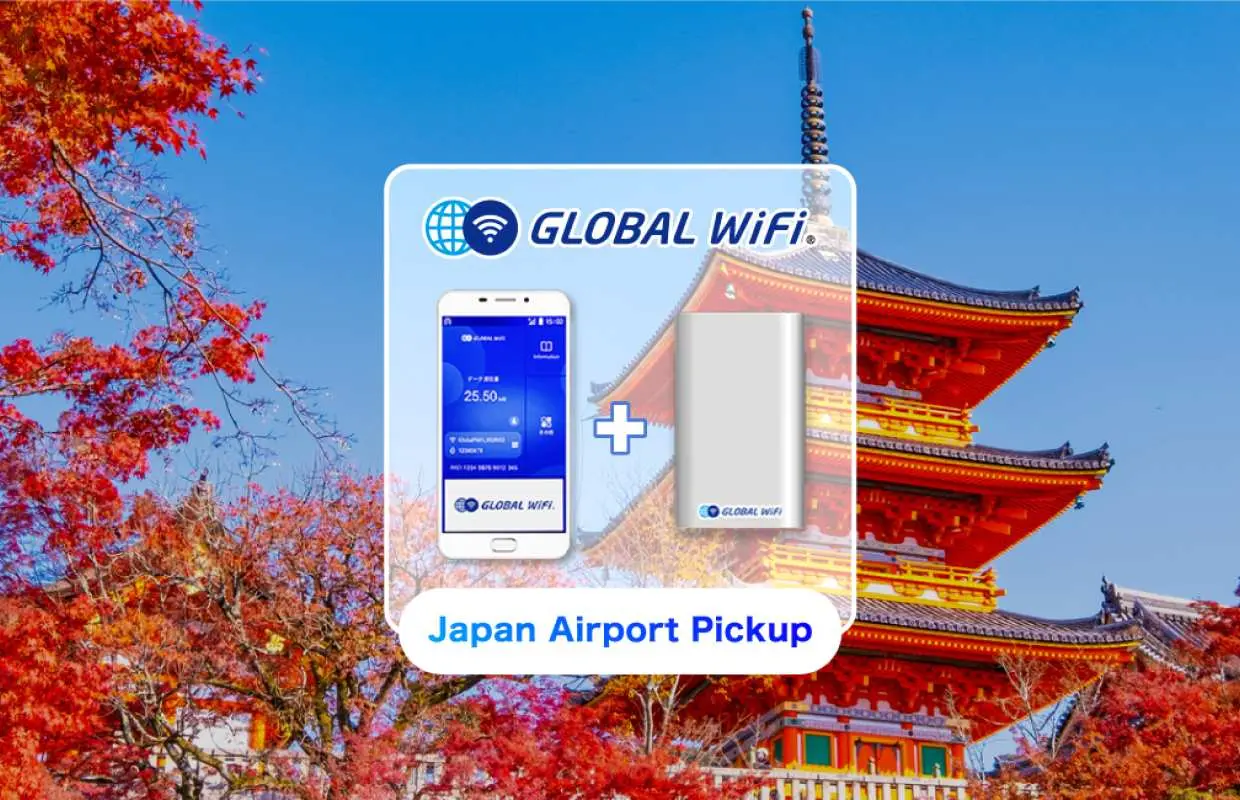


[30% OFF] Japan Wi-Fi Rental | 3GB/Unlimited Data | Pick-up & Return at Japan Airports
- Free power bank rental!
- Pick up and return at different locations!
- Dedicated airport counters for quick pick-up without waiting
- If you cannot connect after picking up at the airport in Japan, please report it immediately for a replacement
Package Options
Purchase Notice
[Note]
※ If you do not check the required information, it is the customer's fault.
※ This product can be picked up/returned at the pick-up location in Japan along with your passport after receiving the order confirmation voucher sent by Global WiFi.
※ If the order details do not match (receipt & return date, product, etc.), the order cannot be confirmed and this is the customer's fault.
※ This service may not be smooth depending on the communication environment, etc., or the occurrence of communication dead zones in the country you are visiting.
※ Pick-up outside of business hours is not possible. (Returns are possible if there is a return box.)
※ If you return the vehicle after the reserved rental period, an additional fee will be charged.
※ Refunds are not available for mid-term returns due to schedule changes.
Includes/Excludes
- Wi-Fi Router
- User manual
- Charging cable
- Power bank
- Pocket wifi case
- Breakdown and damage/loss costs (if any)
Equipment Damage & Loss Fee Policy
【Broken or lost】
Total damage: Main unit (including battery pack) + SIM card / 150,000 won, Partial damage: Main unit (including battery pack) + SIM card / 100,000 won, Each accessory (USB cable, charger, pouch) / 10,000 won, Multi-conversion plug / 20,000 won, Auxiliary battery / 50,000 won
・The above regulations apply to water damage/breakdown/loss/theft of pocket Wi-Fi and accessories.
・In case of damage/water damage/breakdown, you must return the pocket Wi-Fi for product confirmation.
・A police report (theft report) from the local police is required for theft and loss.
・If you are late by the day after the scheduled return date without contacting Global Wi-Fi, a late fee will be charged until the return date.
* If you return it after the purchased period, an excess fee will be charged for the number of days overdue. Late payment fees will be added for each day the rental fee is overdue.
Reminders
This product can be picked up/returned at the pick-up location in Japan along with your passport after receiving the order confirmation voucher sent by Global WiFi.
This service may not be smooth depending on the communication environment, etc., or the occurrence of communication dead zones in the country you are visiting.
If you return a pocket Wi-Fi that you received at a Japanese airport in Korea, you will be charged 30,000 won for EMS shipping and document preparation fee, plus usage fee for the number of overdue days.
If you return the item after the purchased period, you will be charged an overdue fee for each day that you are late. The overdue fee is an additional day's rental fee for each day that you are late.
If you are taking it to a country other than Korea or Japan, please contact us via Kkday message for detailed return inquiries. (Shipping costs are the responsibility of the customer.)
If you are unable to use the device due to issues with the telecommunications company line or pocket Wi-Fi device, your order will be fully or partially refunded based on the usage details after confirmation.
If you are unable to use the product due to excessive use, your order cannot be fully or partially refunded.
If damaged, the terminal must be returned.
Even if you are unable to receive your package due to flight delays or cancellations caused by natural disasters, refunds will still be processed in accordance with the refund policy.
For product-related inquiries, please click on your personal profile picture on the KKday site, and contact the seller through [Manage Reservation] - [Contact Seller].
Pickup/Return Point
Pickup Info
- It's okay if the pick-up and return locations are different.
- In case of non-receipt at the airport or mid-return, no refund will be given for the remaining days.
- If you are unable to return the item at the designated airport drop-off location, please return it via prepaid courier by the next day.
- You can ship your WiFi machine to the following address: Vision Mobile Korea, 702, 7th floor, Baeknam Building, 188-3, Euljiro 1-ga, Jung-gu, Seoul / 1644-8435
- If you return the item after the purchased period, you will be charged an overdue fee for each day that you are late. The overdue fee is an additional day's rental fee for each day that you are late.
New Chitose Airport (CTS) -
New Chitose (Hokkaido) Airport International Terminal 2nd floor GLOBAL WiFi Counter

Monday 08:00 - 19:00
Tuesday 08:00 - 19:00
Wednesday 08:00 - 19:00
Thursday 08:00 - 19:00
Friday 08:00 - 19:00
Saturday 08:00 - 19:00
Sunday 08:00 - 19:00
Narita International Airport (NRT) T1
Narita Terminal 1, 1st floor, International Arrival Lobby, South Wing, JAL ABC Counter

Monday 07:00 - 21:00
Tuesday 07:00 - 21:00
Wednesday 07:00 - 21:00
Thursday 07:00 - 21:00
Friday 07:00 - 21:00
Saturday 07:00 - 21:00
Sunday 07:00 - 21:00
Narita International Airport (NRT) T2
J WiFi Mobile Counter between North Gate No. 1 and Central Exit on the 1st floor of Narita Terminal 2
Monday 07:00 - 21:00
Tuesday 07:00 - 21:00
Wednesday 07:00 - 21:00
Thursday 07:00 - 21:00
Friday 07:00 - 21:00
Saturday 07:00 - 21:00
Sunday 07:00 - 21:00
Tokyo Haneda International Airport (HND) T2
Haneda Airport Terminal 2, 2nd floor, Domestic Departure / International Arrival Lobby GLOBAL WiFi Counter

Monday 06:00 - 23:00
Tuesday 06:00 - 23:00
Wednesday 06:00 - 23:00
Thursday 06:00 - 23:00
Friday 06:00 - 23:00
Saturday 06:00 - 23:00
Sunday 06:00 - 23:00
Tokyo Haneda International Airport (HND) T3
Haneda Airport Terminal 3 Arrival Lobby (Keikyu Haneda Airport Terminal 3 Station) GLOBAL WiFi Counter
Monday 06:30 - 23:45
Tuesday 06:30 - 23:45
Wednesday 06:30 - 23:45
Thursday 06:30 - 23:45
Friday 06:30 - 23:45
Saturday 06:30 - 23:45
Sunday 06:30 - 23:45
Kansai International Airport (KIX) T1
Kansai International Airport Terminal 1, 1st floor, International Arrival Lobby GLOBAL WiFi Counter
Monday 09:00 - 21:00
Tuesday 09:00 - 21:00
Wednesday 09:00 - 21:00
Thursday 09:00 - 21:00
Friday 09:00 - 21:00
Saturday 09:00 - 21:00
Sunday 09:00 - 21:00
Osaka International (Itami) Airport (ITM) -
Itami Airport South Terminal 1st floor International Arrival Lobby GLOBAL WiFi Counter
Monday 10:00 - 19:00
Tuesday 10:00 - 19:00
Wednesday 10:00 - 19:00
Thursday 10:00 - 19:00
Friday 10:00 - 19:00
Saturday 10:00 - 19:00
Sunday 10:00 - 19:00
Komatsu Airport (KMQ) -
Komatsu Airport GLOBAL WiFi Counter
Monday 09:15 - 18:30
Tuesday 09:15 - 18:30
Wednesday 09:15 - 18:30
Thursday 09:15 - 18:30
Friday 09:15 - 18:30
Saturday 09:15 - 18:30
Sunday 09:15 - 18:30
Chubu Centrair International Airport (NGO) -
Nagoya Chubu Centrair International Airport (Centrair) Terminal 1, 2nd floor Access Plaza GLOBAL WiFi Counter
Monday 06:30 - 22:00
Tuesday 06:30 - 22:00
Wednesday 06:30 - 22:00
Thursday 06:30 - 22:00
Friday 06:30 - 22:00
Saturday 06:30 - 22:00
Sunday 06:30 - 22:00
Fukuoka Airport (FUK) -
Fukuoka International Airport International Terminal 1F Arrival Lobby GLOBAL WiFi Counter
Monday 07:30 - 21:30
Tuesday 07:30 - 21:30
Wednesday 07:30 - 21:30
Thursday 07:30 - 21:30
Friday 07:30 - 21:30
Saturday 07:30 - 21:30
Sunday 07:30 - 21:30
Kagoshima Airport (KOJ) -
Kagoshima Airport Domestic Terminal 1st floor arrival lobby GLOBAL WiFi counter
Monday 08:00 - 18:00
Tuesday 08:00 - 18:00
Wednesday 08:00 - 18:00
Thursday 08:00 - 18:00
Friday 08:00 - 18:00
Saturday 08:00 - 18:00
Sunday 08:00 - 18:00
Naha Airport (OKA) -
Naha (Okinawa) Airport International Terminal 1st floor arrival lobby GLOBAL WiFi counter
Monday 07:30 - 21:00
Tuesday 07:30 - 21:00
Wednesday 07:30 - 21:00
Thursday 07:30 - 21:00
Friday 07:30 - 21:00
Saturday 07:30 - 21:00
Sunday 07:30 - 21:00
How to Use
[Pocket Wi-Fi Usage Guide]
① Purchase a pocket Wi-Fi pass according to the date
(Purchase 5 tickets for 4 nights and 5 days rental / Pay twice for 2 rentals)
② Please make sure that the name you enter matches the English name on the recipient’s passport. (If it does not match, you will not be able to receive the item.)
③ Enter the correct mobile phone number to receive the order confirmation message. If there is no reservation confirmation notification text, you will not be able to receive the message.
④ After the Global WiFi representative confirms your order, a reservation confirmation text message will be sent via [text]
(Order confirmation is possible during business hours on weekdays)
⑤ At the pick-up location in Japan, present the voucher and passport to the local Japanese counter staff.
How to Use Your Voucher
- Please present your e-voucher and passport on-site
FAQ
1. Is Japanese pocket WiFi worth it for tourists traveling in Japan?
Japanese pocket WiFi is highly recommended for tourists seeking reliable and continuous internet access. It offers stable high-speed 4G/5G connectivity across most of Japan, ideal for navigation, translation apps, and staying connected. Unlike relying on sporadic public Wi-Fi, a pocket WiFi ensures you have internet whenever you need it, which is especially useful for exploring different cities and remote areas without interruption. It's particularly valuable for groups, allowing multiple devices to connect simultaneously.
2. What is Japanese pocket WiFi and how does it differ from a SIM card?
A Japanese pocket WiFi is a portable device that acts as a personal Wi-Fi hotspot, providing internet access to multiple devices simultaneously. It differs from a SIM card in several ways: a SIM card is installed directly into one phone and provides data only to that device, while a pocket WiFi can connect several smartphones, tablets, or laptops. Pocket WiFi is generally more convenient for groups or travelers with multiple devices, as everyone can share one connection without swapping SIMs or unlocking phones.
3. How can I pick up and return my Japanese pocket WiFi device at the airport?
You can conveniently pick up and return your Japanese pocket WiFi at various major airports, including New Chitose, Narita, Haneda, Kansai, Osaka (Itami), Komatsu, Nagoya (Chubu), Fukuoka, Kagoshima, and Naha. Services booked through KKday offer dedicated counters for quick and easy collection, minimizing wait times. You can also enjoy the flexibility of one-way returns between different airports, making your travel logistics seamless and stress-free.
4. What are the key features included with a Japanese pocket WiFi rental?
Japanese pocket WiFi rentals often include valuable features designed for convenience. These typically encompass a free auxiliary battery rental, ensuring extended usage throughout your day. The flexibility to pick up at one airport and return at a different one is also a common benefit. Furthermore, providers often offer immediate device replacement at Japanese airports if the Wi-Fi connection is not possible upon receipt, guaranteeing continuous connectivity for your trip.
5. What data plans are available for Japanese pocket WiFi rentals?
Japanese pocket WiFi rentals typically offer various data plans to suit different travel needs. Common options include daily data limits, such as 3GB per day, which resets daily, or unlimited data plans for uninterrupted heavy usage. Travelers can choose a plan based on their anticipated internet consumption, ensuring they have enough data for navigation, communication, social media, and streaming without worrying about exceeding limits.
6. Can Japanese pocket WiFi be shared among multiple devices or users?
Yes, one of the primary advantages of Japanese pocket WiFi is its ability to be shared. The device functions as a mobile hotspot, allowing multiple devices, such as smartphones, tablets, and laptops, to connect to it simultaneously. This feature makes it an ideal solution for families or groups traveling together, as everyone can enjoy high-speed internet access from a single device, often at a more cost-effective rate than individual SIM cards.
7. What should I consider regarding the rental cost of Japanese pocket WiFi?
When considering the rental cost for Japanese pocket WiFi, focus on factors like the length of your rental period, the chosen data plan (e.g., daily limit vs. unlimited), and any included accessories like auxiliary batteries. It's wise to compare different providers based on their overall service package, including pickup/return options and customer support, to find a solution that best fits your budget and travel requirements.
8. What happens if my rented Japanese pocket WiFi device stops working while I'm in Japan?
Should your rented Japanese pocket WiFi device encounter issues and fail to connect after pickup at a Japanese airport, many rental services offer immediate replacement. This ensures that any technical difficulties are resolved swiftly, minimizing disruption to your travel plans. You can approach the dedicated counter or contact customer service for prompt assistance and a replacement device, ensuring you remain connected throughout your trip.


