

【Commbitz】United Kingdom eSIM | 40-200GB Unlimited/Total Data Plan | Include Local Calls and Texts
- Receive your eSIM instantly after placing your order—no shipping delays.
- Environmentally friendly, no consumables, free shipping, and zero risk of losing a physical SIM card.
- Easily install the eSIM by scanning the voucher—no need to wait for delivery or visit a physical store.
- Scan the QR code to access 5G/4G internet, offering a convenient and eco-friendly alternative to physical SIM cards.
What You Can Expect
No refunds after purchase; please confirm your phone's eSIM compatibility beforehand.


Before activating the eSIM, please update your iOS to the latest version and connect to a stable Wi-Fi network. Older iOS versions and unstable networks are common causes of eSIM activation failures.


Turn on the camera, scan the eSIM QR code, and tap "Add Cellular Plan."

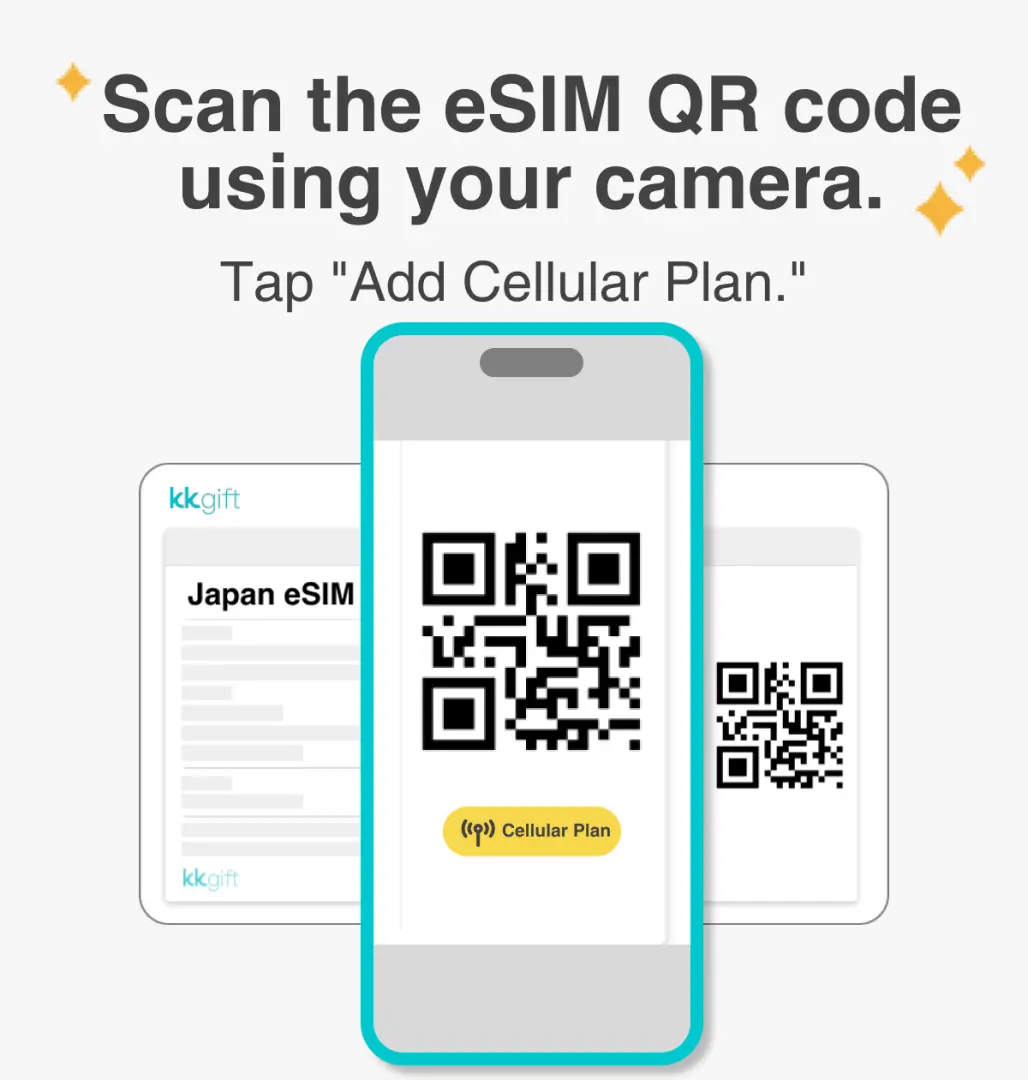
Activation typically takes around 2–3 minutes. Any interruptions during this process may result in installation failure.


You can assign a label to each cellular plan, and customize your eSIM label by going to Settings and selecting Cellular.


Select the default line (Primary SIM) to designate the main phone number for receiving text messages. Please ensure that international roaming is activated for your main number with your original carrier to receive messages.


You can designate the primary SIM for iMessages and FaceTime.


Make sure to select eSIM as your cellular data plan. A common reason for being unable to access the internet is that eSIM mobile data is not enabled.


You can also manually add the eSIM if you're unable to scan the QR code.


After copying the eSIM activation code, please follow the steps to manually enter the eSIM information.After copying the eSIM activation code, please follow the steps to manually add the eSIM information.


Purchase Notice
- Total Data Plan: Once the high-speed data is used up, there will be no internet connection.
- Include unlimited incoming call in UK from 70+ countries and unlimited local calls and texts.
- Calculation method of days: 24-hour system. For example, you purchase a 3-day plan and install it at September 1 at 10:00 am. The plan will end at September 4 at 9:59 am.
- Please note that the validity period will begin upon installing. We recommend installing the eSIM at the start of your travel to ensure optimal usage.
- WiFi Calling and Data Roaming should be enabled after eSIM installation.
Reminders
Please turn off the data roaming function of the original SIM card to avoid high roaming fees.
Please make sure your mobile phone and its operating system are compatible with eSIM, failure to do so may result in activation failure, refunds will not be granted.
Please note that iPhones sold in China do not support eSIM and certain mobile phones sold in Hong Kong and Macao do not support eSIM. If you have any questions, please contact customer service, preferably before booking.
In order to ensure all users' accessibility to the internet, each telecom carrier implements their fair usage policy to monitor data consumption. If a user's data consumption negatively affects other users' internet connections, the telecom carrier may enforce speed restrictions temporarily. Please note that under such circumstances, KKday has no right to intervene.
The quality of communication may be affected by outside conditions; surrounding landforms (e.g. mountains), weather, obstruction by buildings, the number of users, or locations may affect the speed and quality of the internet.
How to Redeem Your Voucher
Voucher Redemption Period
- Valid for redemption within 30day(s) from the date of issue; Invalid after expiration
Validity Period
- Valid for use within 30day(s) from the date of issue; Invalid after expiration
Cancellation Policy
- Once the order has been completed, it cannot be canceled, modified, or refunded
- Due to time zone differences, the confirmed cancellation date is based on the supplier’s local time. Please allow 2–5 business days to process your cancellation request, after which the cancellation fee will be charged according to the product’s cancellation policy. Once the cancellation is confirmed, you will receive your refund within 14 working days.
FAQ
Yes, Commbitz United Kingdom eSIM provides a range of data plans, including options with unlimited data. These plans typically offer a generous high-speed allowance (e.g., 40-200GB) followed by unlimited data at a reduced speed, ensuring you remain connected throughout your trip in the UK. This allows for continuous internet access without worrying about exceeding a data cap.
The Commbitz United Kingdom eSIM utilizes a reliable local network in the UK, providing extensive coverage across major cities and popular tourist destinations. You can expect access to high-speed 5G/4G internet, ensuring smooth browsing, streaming, and navigation. This allows for seamless online experiences while traveling, enhancing your connectivity throughout your journey.
Commbitz United Kingdom eSIM offers various data plan options tailored for different travel needs. These plans typically range from 40GB to 200GB of total high-speed data. Many options also include unlimited data at a reduced speed after the initial allowance. Additionally, some Commbitz plans for the United Kingdom include local calls and texts for added convenience.
To use a Commbitz United Kingdom eSIM, your device must be eSIM-compatible and unlocked. Most newer smartphone models from major manufacturers like Apple (iPhone XS/XR and later), Samsung (Galaxy S20 and later), and Google Pixel (Pixel 3 and later) generally support eSIM functionality. It's recommended to check your specific device's specifications to confirm eSIM compatibility before purchase.
Activating your Commbitz United Kingdom eSIM is straightforward. After purchase, you will receive a QR code via email instantly. To activate, simply scan this QR code using your device's camera or by manually entering the provided details in your phone's cellular settings. Ensure you have an internet connection during activation. Once installed, the eSIM will automatically connect to the local network in the UK.
An eSIM (embedded SIM) is a digital SIM card, built directly into your device's hardware, eliminating the need for a physical, removable card. For United Kingdom travel, a Commbitz eSIM offers advantages over a physical SIM, such as instant delivery via email, no risk of losing a tiny card, and the convenience of switching data plans digitally. It's also environmentally friendly, reducing plastic waste.
You can receive your Commbitz United Kingdom eSIM instantly after completing your purchase. The eSIM details, including the activation QR code, are delivered to your email without any shipping delays. This means you can install and activate the eSIM immediately upon arrival in the UK or even before you depart, ensuring you have connectivity ready as soon as you need it.
On your iPhone, navigate to Settings > Cellular > Add eSIM. You will then have the option to 'Use QR Code' or 'Enter Details Manually'. Scan the QR code provided after your Commbitz United Kingdom eSIM purchase. Follow the on-screen prompts to label your new cellular plan and set it as your primary or secondary line. Remember to enable data roaming for the eSIM when you arrive in the UK.
Get Help


