

[50% OFF] Korea eSIM | Daily / Total / Unlimited High-Speed Data | SKT Network | Korean Phone Number Included (Select Items) · ChatGPT Supported
- KKday's Korean eSIM card offers 4G/LTE service and hotspot sharing.
- KKday's Korean eSIM card uses SKT Telecom's network resources, offering a variety of plans including native and dual-Telecom roaming packages. Simply scan the receipt to install and use it.
- Some mobile phones from mainland China, Hong Kong, and Macau do not support eSIM functionality. Please check this before purchasing. If you are unable to set up eSIM on your iPhone, please refer to the instructions on the Apple website .
Package Options
Product Info
The content of this product is provided by machine translation and may not reflect the actual information, please take this into consideration before booking.
Please confirm that your phone can use eSIM before purchasing. You cannot cancel or refund the order after ordering.


Before activating eSIM, please update iOS to the latest version and connect to a stable WiFi network. Old iOS versions and unstable networks are common reasons for eSIM activation failure.

Open the camera to scan the eSIM and click "Action Plan".


The activation time is about 2-3 minutes, and the installation is likely to fail if the activation screen pops up.


You can customize the eSIM name to facilitate the management of multiple eSIMs


Select the preset number to specify the original main number to receive messages (you need to apply to the original telecommunications operator to open an international roaming main number before you can receive text messages)


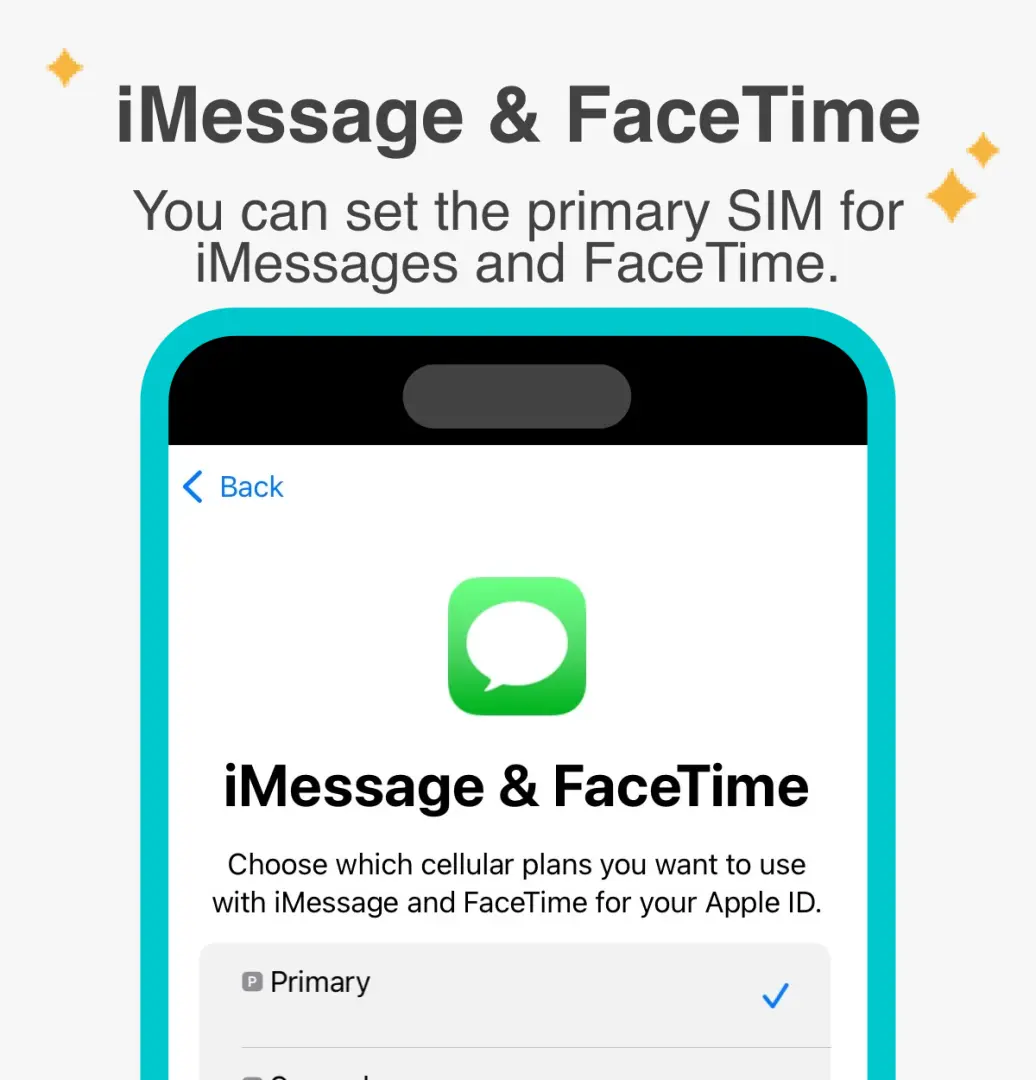
You can specify the primary phone number to use iMessage and Facetime functions

Choose to use eSIM's mobile data. "eSIM's mobile data is not turned on" is a common reason for not being able to access the Internet.


The roaming plan requires data roaming to be enabled


Purchase Notice
- After the eSIM is sent, the order cannot be cancelled and refunded. Please confirm that the phone can use eSIM (iPhone and Android phones sold in China, Hong Kong, and Macau do not support the eSIM function; most Android phones sold in Taiwan do not support eSIM)
- For Android phones that support eSIM, please refer toFigures 1 and2 for the steps to manually enter the activation code.
Cancellation Policy
- Once the order has been completed, it cannot be canceled, modified, or refunded
- Due to time zone differences, the confirmed cancellation date is based on the supplier’s local time. Please allow 2–5 business days to process your cancellation request, after which the cancellation fee will be charged according to the product’s cancellation policy. Once the cancellation is confirmed, you will receive your refund within 14 working days.
FAQ
To use an eSIM in Korea, your mobile device must support eSIM technology. Most modern smartphones, including recent iPhone, Samsung, and Google Pixel models, are compatible. However, some phone models, particularly those purchased in mainland China, Hong Kong, or Macau, may have regional restrictions preventing eSIM functionality. It's crucial to verify your device's eSIM compatibility with its manufacturer before purchasing to ensure smooth activation and usage.
A Korean eSIM card offers significant convenience for travelers compared to a physical SIM. It eliminates the need to physically swap SIM cards, reducing the risk of losing your primary SIM. Activation is typically done by scanning a QR code, allowing for quick setup before or upon arrival in Korea. This means immediate 4G/LTE internet access, making it a seamless way to stay connected without hassle, especially for short trips or those who need to maintain their home number.
Korean eSIM cards offer a variety of data plans tailored for different travel needs. Common options include daily plans, which provide a set amount of data per day, or total data plans with a fixed allowance for the entire trip. Unlimited data plans are also available, often with a fair usage policy that may reduce speed after a certain threshold, though some plans aim for no speed reduction. These plans ensure you can choose coverage that best suits your internet usage while traveling.
Most travel-focused Korean eSIM cards primarily offer data services, providing 4G/LTE internet access and hotspot sharing. They typically do not include a local Korean phone number for traditional voice calls (incoming or outgoing) or SMS messaging. For making calls or sending texts, travelers usually rely on internet-based communication apps like WhatsApp, Line, or KakaoTalk, which utilize the eSIM's data connection.
Using a Korean eSIM card for data connectivity often provides a more economical and convenient solution compared to relying on international roaming services from your home provider. Roaming can incur high, unpredictable charges for data usage. An eSIM offers transparent, prepaid data plans, ensuring you know your costs upfront. It also allows you to enjoy high-speed 4G/LTE internet access with local network stability, making it a reliable choice for seamless connectivity throughout your trip without unexpected bills.
The process for purchasing and activating a Korean eSIM card is straightforward. You can easily purchase an eSIM through platforms like KKday, which offers a selection of native and roaming resource packages from providers like SKT Telecom. After purchase, you'll receive a digital certificate, usually containing a QR code. To activate, simply scan this QR code using your compatible smartphone, follow the on-screen instructions, and the eSIM profile will be installed, granting you immediate 4G/LTE internet access and hotspot sharing upon arrival in Korea. Booking through KKday provides the convenience of selecting from various trusted plans and receiving instant digital delivery for a hassle-free setup.
If your Korean eSIM card is data-only and doesn't provide a local phone number, you can still easily make calls and send texts using various internet-based communication applications. Popular apps like KakaoTalk (widely used in Korea), WhatsApp, Line, or FaceTime allow you to make voice or video calls and send messages over your eSIM's 4G/LTE data connection. Ensure you have these apps installed and set up before your trip for seamless communication with friends, family, and local contacts.
Yes, a Korean eSIM card can be used for hotspot sharing with other devices. This feature allows you to turn your smartphone into a portable Wi-Fi hotspot, sharing your 4G/LTE internet connection with laptops, tablets, or other mobile phones. It's a convenient way to ensure all your devices or even travel companions can stay connected using a single eSIM plan, making your travel experience in Korea more connected and efficient.
Get Help


