

【20% Off】China, Hong Kong, Macau eSIM | No VPN Required | Daily High-Speed / Fixed Data Plans
- A new way to get online! No need to swap SIM cards. Enjoy fast and seamless 4G internet without the hassle.
- Simply scan the eSIM QR code to install and use it immediately upon receipt. No need to pick up a physical card or wait for shipping.
- Compatible with Apple and various Android smartphones.
*Samsung phones vary by region. Please check for eSIM compatibility before purchasing (Samsung phones purchased in Taiwan do not support eSIM functionality).
Package Options
What You Can Expect

Please confirm that the mobile phone can support eSIM before purchasing. The order cannot be canceled and refunded after ordering.

Before enabling eSIM, please update iOS to the latest version and connect to a stable WiFi. Old versions of iOS and unstable network are common reasons for eSIM activation failure.
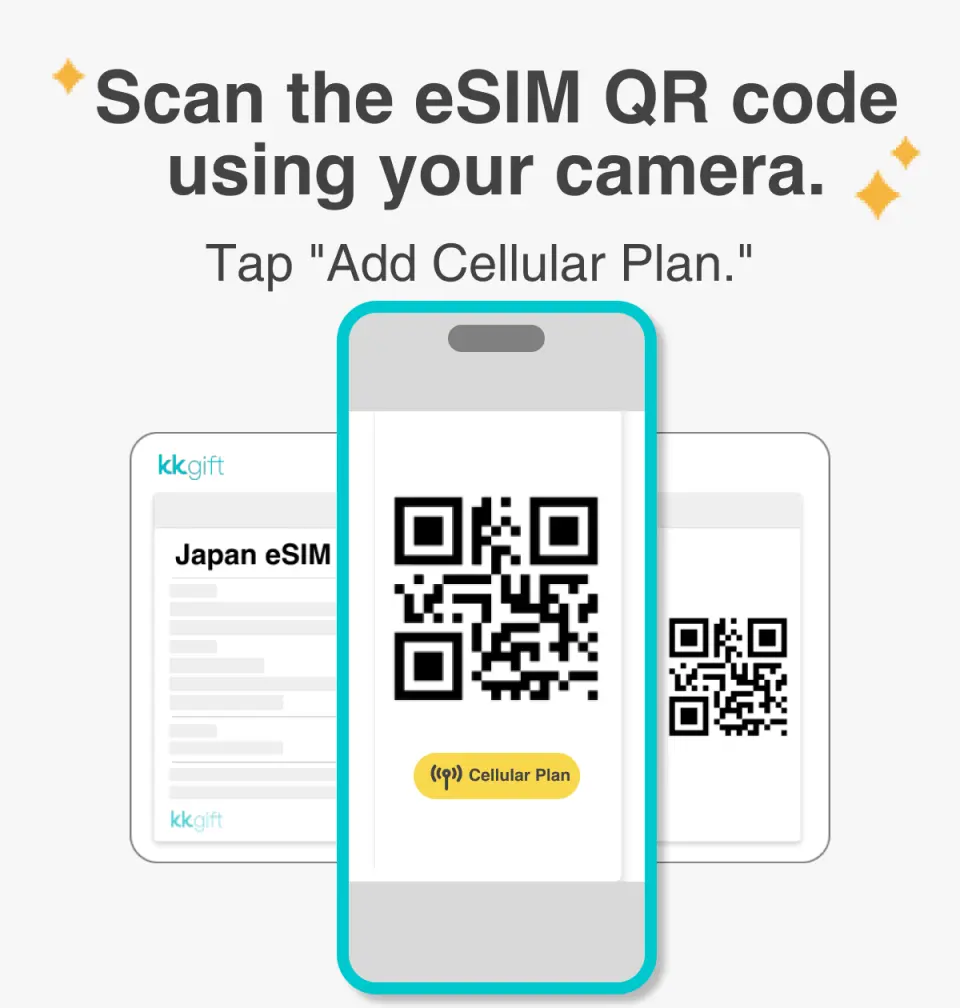
Turn on the camera to scan the eSIM and click "Action Plan".

The activation time is about 2-3 minutes. The activation screen will pop up and the installation may fail.

Customizable eSIM names to facilitate management of multiple eSIMs

Select the default number to specify the original main phone number to receive messages (you must first apply to the original telecom operator to activate the main phone number for international roaming before you can receive text messages)

You can specify the main phone number to use iMessage and Facetime functions

If you choose to use eSIM mobile data, "eSIM mobile data is not turned on" is a common reason for being unable to access the Internet.

You can also manually join eSIM when you cannot scan the QR Code

After copying the eSIM activation code, please follow the steps to manually add the eSIM information.
SIM Card Specifications
| Data Usage Specifications | Unlimited data, 500MB, 1GB, 2GB, 3GB, 5GB, 10GB, 20GB |
| Transmission Specifications | 4G |
| Signal Coverage Area | Hong Kong, China, Macau |
| Mobile Carrier | China: China Unicom, China Telecom / Hong Kong: SmarTone, HKT, 3HK / Macau: CTM |
| Supported Sizes | eSIM |
| Hotspot Sharing | Available |
| Supported Frequencies(4G) | B1(2100 MHz) |
| Top-Up Availability | Top-up unavailable |
| Excludes | Voice calls, Texts |
| Not Supported | SIM-locked device, Carrier-customized device, Pocket WiFi, Modified phones, 3G mobile phones, translators, mobile phones without eSIM function |
| Reminders | ・After the daily high-speed traffic is used up, the speed will be reduced to 128Kbps, and the high-speed traffic will be recalculated at 0:00 (GMT+8) every day. / After the total usage is completed, the speed will be reduced to 128Kbps. ・Validity period calculation method: natural day system, eSIM installation and activation until 23:59 (GMT+8) of the day is regarded as the first day. |
Purchase Notice
- Please make sure your mobile phone and its operating system support the eSIM function before purchasing. No refunds will be issued if the order is canceled due to device incompatibility.
- iOS requires version 12.1 or higher; please note that iPhones sold in mainland China do not support eSIM. In Hong Kong and Macau, only iPhone 13 mini, iPhone 12 mini, iPhone SE 2020 and iPhone XS have eSIM functionality. (Please go to Apple’s official website to check)
- The versions of Samsung mobile phones vary from country to country. Samsung mobile phones purchased in Taiwan do not support eSIM. For other regions, please check with Samsung’s official website first.
- Each QR code can only be scanned and installed once. After binding, the device cannot be changed or deleted. Once deleted, it cannot be rescanned and installed and needs to be purchased again.
Reminders
It must be installed and activated at the destination within 30 days after ordering, otherwise the eSIM will become invalid and cannot be used.
Installing eSIM requires an Internet connection. Please confirm that there is available WiFi or available mobile data in the environment before installation.
Please remember to turn off data roaming on the original SIM card to avoid using the mobile network of the original SIM card and incurring high roaming charges.
To end using the eSIM plan available on your phone, click [Remove Action Plan] at the bottom to remove it.
Please be aware that the signal may affect the quality of the Internet depending on factors such as location, terrain, building coverage, number of users, weather, etc.
How to Use
- Installation steps:
After scanning the QRCode, follow the instructions to add an eSIM.
(Please do not use your camera or other APP to scan the QR code, it must be done through your phone's "Settings".)
- Usually the APN will be automatically recognized. If it cannot be automatically recognized, you need to set it manually.
APN: internet
Cancellation Policy
- Once the order has been completed, it cannot be canceled, modified, or refunded
- Due to time zone differences, the confirmed cancellation date is based on the supplier’s local time. Please allow 2–5 business days to process your cancellation request, after which the cancellation fee will be charged according to the product’s cancellation policy. Once your refund request is confirmed, KKday will initiate the refund to your original payment method within 15 days. The actual refund timing depends on your card-issuing bank’s policy.
FAQ
1. How do I choose the right eSIM for travel in China, Hong Kong, and Macau?
When selecting an eSIM for China, Hong Kong, and Macau, consider the total data allowance required for your trip, the duration of the plan, and whether it includes data that bypasses the Great Firewall for mainland China. Also, check for specific regional coverage and ensure your device supports eSIM functionality. Opt for plans that offer a balance of speed and coverage for seamless connectivity across all three destinations.
2. Is a China, Hong Kong, and Macau eSIM compatible for use across all three regions?
Yes, a China, Hong Kong, and Macau eSIM is specifically designed to provide seamless connectivity across these three regions. This means you can use the same data plan without needing to switch eSIM profiles or purchase separate ones when traveling between mainland China, Hong Kong, and Macau. Always confirm the specific plan's regional coverage details.
3. What are the steps to set up and activate an eSIM for China, Hong Kong, and Macau?
Setting up an eSIM is straightforward. First, ensure your device is eSIM compatible. After purchasing, you'll receive a QR code via email. Scan this QR code in your phone's cellular settings to add the eSIM profile. Once installed, activate data roaming in your phone settings upon arrival at your destination. This allows for immediate 4G internet access without needing a physical SIM card.
4. What is the typical network reliability for eSIM services in China, Hong Kong, and Macau?
Esim services in China, Hong Kong, and Macau generally offer reliable 4G network coverage, particularly in urban areas and major tourist spots. The reliability largely depends on the local network provider partnered with the eSIM service. Most services aim to provide consistent high-speed internet, ensuring smooth browsing and communication. Coverage may vary slightly in very remote or mountainous regions.
5. Are China, Hong Kong, and Macau eSIMs available for data-only usage?
Yes, the majority of eSIMs designed for travel in China, Hong Kong, and Macau are data-only. They provide high-speed internet access for browsing, messaging apps, and social media. For voice calls, travelers typically use VoIP (Voice over Internet Protocol) applications such as WhatsApp, WeChat, or FaceTime, which rely on the active data connection provided by the eSIM.
6. How does an eSIM data plan work when traveling through China, Hong Kong, and Macau?
An eSIM data plan works by digitally embedding a subscriber profile into your device, eliminating the need for a physical SIM card. When traveling across China, Hong Kong, and Macau, the eSIM automatically connects to the strongest available local partner network in each region. For China, many plans are designed to bypass the Great Firewall, allowing access to popular international apps and websites without a VPN.
7. What are the potential drawbacks of using an eSIM for travel in China, Hong Kong, and Macau?
While convenient, eSIMs have some drawbacks. They require an eSIM-compatible device, which older phone models may lack. The initial setup often requires an internet connection to download the profile. Troubleshooting can also be more complex compared to a physical SIM, as there's no physical card to swap out. Additionally, device compatibility can vary, especially for Samsung phones purchased in certain regions.


